Enpass Password Manager: A Perfect App to Manage Your Passwords and Identity
 |
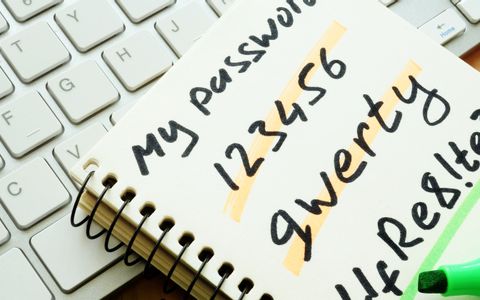
| passwords written in a diary |
Get a lifetime license to Enpass password manager for managing passwords and other credentials
Today every app or service relies heavily on text-based passwords for user authentication. The difficulty of remembering numbers, symbols, and alphabets tempt users to reuse simple, easy to guess passwords at multiple websites, making their accounts vulnerable.Password managers store your login information and other credentials securely.
It encrypts your database with a master password, which is the only password you have to remember. We have a deal on the Enpass password manager tool that we think you’ll like.
Features Of Enpass Password Manager
Enpass is a simple, secure password manager that lets you store every confidential information (be it bank accounts, credit cards, licenses, or any attachment) at one place using a single master password. Let’s take a look at some of its features:
- One Master Password: Enpass encrypts all the stored passwords with a single master password. You also unlock the app with it. Remember to keep the master password strong and write it down in case you forget them.
- Data Stays on Your Device: All your data gets saved locally on your device. Your information never leaves the device until you explicitly choose to do so by syncing through cloud accounts.
- Autofill the Login Details: Enpass automatically autofill the login information, identities, and credit card data with one click.
- The App is Cross-Platform: Enpass is compatible with Windows 10, macOS 10.11 or later, Ubuntu 14.04, Fedora 27, and CentOS 7. There is an app for Android and iOS devices as well.
- Keeps Your Data in Sync: You have the freedom to sync your data with iCloud, Dropbox, Google Drive, WebDav, and more.
- Built-in Password Generator: Enpass has a built-in password generator to help you create unique and strong passwords. You can create pronounceable and random passwords as per your needs.
- Segregate Data Using Multiple Vaults: You can segregate the data in vaults for different work environments, be it family or work.
- Audit Your Passwords: Enpass can perform a local scanning process to look for weak, identical, expiring, and old passwords. It categorizes them accordingly and helps you keep a regular check on your passwords.
- Lock-in with Biometrics: You can log in to Enapss with fingerprint, Touch ID, and more from your device that supports biometric sensors.
- Attach any File: You can attach any file to a data of any type, including PNG, JPEG, PDF, or a TXT file.
Should You Buy This Deal
If you have never used a password manager, try out and buy the license of the Enpass app and see if it fits your needs. The developers periodically update them with new features and improvements. Alternatives like 1Password, Dashlane, Roboform, and Lastpass are expensive.
There are some open-source alternatives like Keepass and Bitwarden. Keepass is designed exclusively for Windows. Bitwarden is a feature-laden app, but somehow its import feature (especially from Keepass) is buggy. Take a look at this video for a detailed review of the Enpass.
Full-Featured Password Manager
You might have heard of the news of websites getting compromised. In such case, the attacker gains access to the email address and login information. If you use the same password for your email account, the attacker might use a password reset link to access online banking sites or PayPal account.