5 Easy Way to Fix Spotify Not Downloading Songs on Android
Downloading songs to listen to them later, probably when you are offline , it certainly saves a lot of stress and you get the uninterrupted experience, and you get to save your data. Spotify’s offline mode presents you with the exact same pleasure, and enjoyment. However, if you are not able to download your favorite songs, then troubleshooting is what you should try.
HOW TO FIX SPOTIFY NOT DOWNLOADING SONGS ON ANDROID
If you are not able download your favorite Spotify playlist for offline use, then this post is designed to do. This guide will help you fix Spotify’s waiting for download issue in no time. So, let’s check it.
- QUICKLY CHECK INTERNET CONNECTION
If you are trying to download on Spotify and it is delaying and still on waiting , firstly the next thing you need to do is promptly check the internet connection on your phone. Sometimes poor and inefficient network coverage can often lead to such issues. Simply you can test run the internet connection on your phone by running a speed test to check the efficiency and quality of your internet connection.
- PROMPTLY RESET NETWORK SETTINGS
If the internet connection is fine, but then the signal on your phone keeps dropping, it needs another approach. In such cases, resetting network settings on your Android will help solve the issue. Below is a quick guide to help you fix the issue.
PLEASE KINDLY NOTE: The settings and navigation name might be different depending on the type of Android phones this is because most phone makers use a different skins and menu names.
- Promptly open up the Settings on your Android and go to System section.
- Thereafter you can now expand Advanced to go to Reset options. Then, tap on Reset Wi-Fi, Bluetooth, and Mobile.
- Lastly, click on the Reset settings button at the bottom of the phone.
- QUICKLY FREE UP STORAGE SPACE
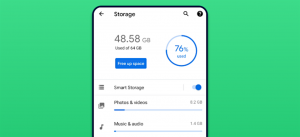
Probably if the problem persist, then it might mean that your phone is running low on storage, you might find it difficult to download new tunes. Spotify recommends that you have at least 1GB storage free on your Android. This can help you dig into the Settings on your phone to check how much free space you have. Or, you can also check your phone’s storage from the Spotify app as well. Here’s how to go about it.
- Open the Spotify app and click on the gear icon in the top right corner to open settings.
- Toggle down to the Storage section. You’ll see how much of your phone’s storage capacity and the various apps and what’s left of it.
If your Android phone supports and has an SD card where you’d like probably to download your songs, go to the Other section in Spotify’s settings and click on Storage. Thereafter You can change the download location from Device storage to SD Card and vice versa
- TRY CLEARING SPOTIFY CACHE
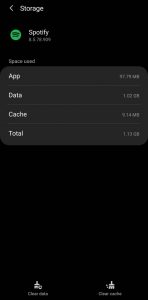
Just Like most apps, Spotify also stores cache data, these include the songs you’ve streamed in recent history. This way, the app can save space and buffering time by not loading the same songs repeatedly. While this data real intent is to help, it can also get corrupted sometimes for no reason. If this happens , then you might have a difficult time downloading new songs or even streaming them live. Therefore, you can attempt removing Spotify’s cache data from your phone.
Regardless of the fact that you’re on Android or iPhone, Spotify gives an option to clear cache data within the app. Here’s a simple guide to access it.
- Click and Launch the Spotify app on your Android phone. Click on the gear icon in the top right corner to open Settings.
- Proceed to Storage settings and click on the Clear cache button. Tap on Clear cache again when prompted.
- REINSTALL SPOTIFY
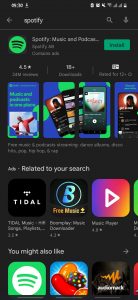
If you have tried all of the above solutions and it doesn’t eem to work, probably you’re still having issues downloading songs from Spotify, then try uninstalling the app and installing it again. This is usually advisable when troubleshooting method when all other solutions fail.
Gladly these few steps, will help you fix this problem, if it persists you can try deleting the App and reinstalling it.
For more recent updates you can visit our telegram channel http://t.me/droidvilla