AI News
  • Apk apps
  • Android Tips/Tricks
  • Phone Reviews
  • How To
  • Phone Reviews
No Result
View All Result
AI News
  • Apk apps
  • Android Tips/Tricks
  • Phone Reviews
  • How To
  • Phone Reviews
No Result
View All Result
AI News
No Result
View All Result
Get your free MTN 2GB valentine gift – MyMTNApp

Get your free MTN 2GB valentine gift – MyMTNApp

Droidvilla Admin by Droidvilla Admin
July 10, 2021
in Android Tips/Tricks, Apk apps, MTN, Phone Reviews
3
943
SHARES
3k
VIEWS
Share on whatsappShare on FacebookShare on TwitterShare on Telegram
MTN 2gb valentine MyMTNApp
How To Get Free MTN 2GB Valentine Data Gifts (MyMTNApp)
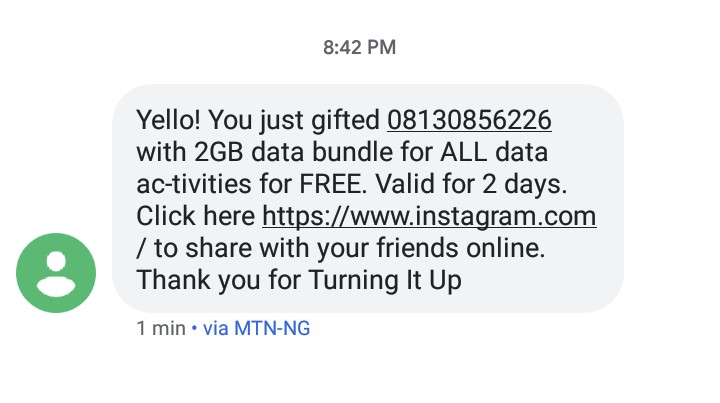
MTN is here again to surprise its customers with special happy valentine data gifts worth mouth watering 2GB by simply accessing their MyMTNApp. 
All you have to do is simply to download the MyMTNapp and get it installed on your Android device. 


Contents hide
I. Also read: How to send private whatsapp messages to any contact not saved on your phonebook
II. How To Get Free MTN 2GB Valentine Data Gifts (MyMTNApp)
Following the release of MYMTNApp, we the customers can certainly attest to the fact that MTN has made things easier for ys all and the fact we access lots of goodies and cheap data offers constantly available to respective customers. Now we have gotten another amazing gift this valentine, from MTN Nigeria.

Also read: How to send private whatsapp messages to any contact not saved on your phonebook

So without further addo, lets get to the business of the day and how you can also get the free 2GB worth of data.
Get your free MTN 2GB valentine gift - MyMTNApp
Free MTN 2GB Valentine Data (MyMTNApp)


How To Get Free MTN 2GB Valentine Data Gifts (MyMTNApp)

Note: This offer is exclusive for only MyMTNApp users! 

  1. Now get your two MTN number or find another sim card if you just one and login or sign up with the first number. 
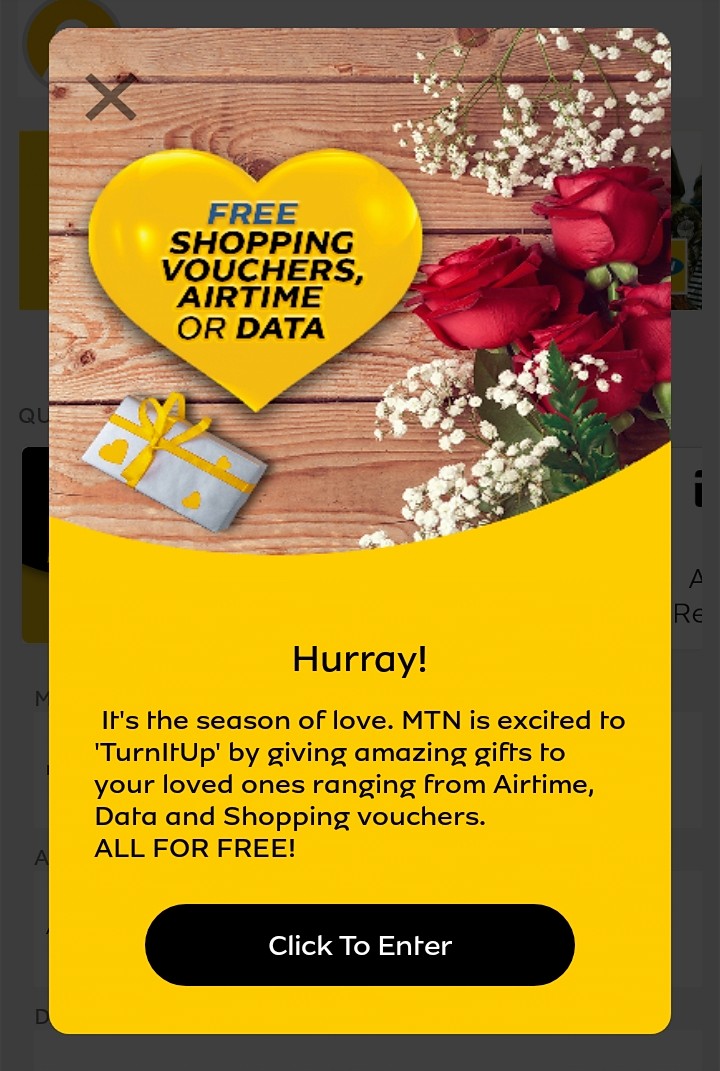
  2. Now click on the Happy Valentine advert image, as shown below
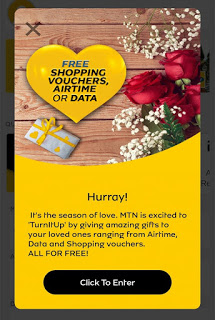
    Get your free MTN 2GB valentine gift - MyMTNApp
    Click to enter
  3. Finally, input the second number that you wish to gift the data, then click proceed and wait for it to finish loading
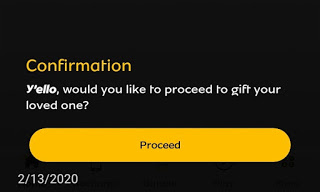
    Get your free MTN 2GB valentine gift - MyMTNApp
    Confirm
  4. After that you will have SUCCESS pop up message.


Note: Data offer it’s time-limited and the data valid for 2days (48 hours).
Information reaching us today gifting has ended tikl tomorrow 12AM!
Don’t forget to subscribe to our newsletter for more exclusive update.


Tags: MTNMyMTNAppvalentine gift
SendShare377Tweet236Share
Droidvilla Admin

Droidvilla Admin

I am Nnoka Godswill also known as Favtechblogger. Lover of Android/Technology, a passionate tech content creator with over 5 years + of blogging experience, an SEO god, a Marketer, and a graduate of Electronics and Computer Engineering from the University of Port Harcourt . Email the author at favtechblogger@gmail.com.

Related Stories

DSTV Now App Not Showing Live Channels

DSTV Now Error: 1 Fix to DSTV Now App Not Showing Live Channels

by Droidvilla Admin
January 14, 2024
0

@dstvcareFinally, here is a solution to fix the dstv now error app not showing live channels when a subscription is active. The dstv now error suddenly do not show/display...

cheat db ppsspp

How to use cheats on ppsspp: Download cheat db PPSSPP Android Games Cheat file

by Droidvilla Admin
December 24, 2023
1

How to use cheats on ppsspp: Download cheat db PPSSPP Android Games Cheat file Good news to all ppsspp (iso) Android game fans. Droidvilla Technology Solution will show...

pixellab font download

Top 100+ Free pixellab font download: How To Import Fonts Into PixelLab

by Droidvilla Admin
April 13, 2023
6

Enjoy this free  100+ pixellab font download. Being a graphic designer is one thing and getting the right fonts for your clients or design job is another thing,...

share MTN data up to 2GB

Share MTN Data: How to share MTN data up to 2GB at once

by Droidvilla Admin
April 7, 2023
0

-- Share MTN Data up to 2GB at once daily You can now share MTN data up to 2GB at once, instead of sharing the data 500MB multiple...

Next Post
Don't use 4g to browse always – See why

Don't use 4g to browse always - See why

Comments 3

  1. Anonymous says:
    6 years ago

    Kudos MTN

    Reply
  2. Obomedaire Ese says:
    6 years ago

    How come I just dey see this 🙆

    Reply
    • Nnoka Godswill (verified) says:
      6 years ago

      Never too late to do what is right🤗

      Reply

Leave a Reply Cancel reply

Your email address will not be published. Required fields are marked *

  • About
  • Advertise
  • Privacy & Policy
  • Contact Us
  • Disclaimer

© 2026 JNews - Premium WordPress news & magazine theme by Jegtheme.

Welcome Back!

Login to your account below

Forgotten Password?

Retrieve your password

Please enter your username or email address to reset your password.

Log In
No Result
View All Result
  • Apk apps
  • Android Tips/Tricks
  • Phone Reviews
  • How To
  • Phone Reviews

© 2026 JNews - Premium WordPress news & magazine theme by Jegtheme.