AI News
  • Apk apps
  • Android Tips/Tricks
  • Phone Reviews
  • How To
  • Phone Reviews
No Result
View All Result
AI News
  • Apk apps
  • Android Tips/Tricks
  • Phone Reviews
  • How To
  • Phone Reviews
No Result
View All Result
AI News
No Result
View All Result
Guide to create a Telegram channel

Guide to create a Telegram channel

A simple guide to create a Telegram channel 2021

Celine Simon by Celine Simon
December 10, 2021
in Applications, Telegram
0
930
SHARES
3k
VIEWS
Share on whatsappShare on FacebookShare on TwitterShare on Telegram

A Simple Guide to Create a Telegram Channel

Telegram has become one of the very trendy App of our time. It has been stated to be the 7th most downloaded app across most Android devices. Its fame is due to the privacy and encryption features that some other messaging Apps such as WhatsApp do not offer. Telegram is also a dual- platform application with versions of the app available on Android, iOS, Linux, Mac, and Windows.

Its unique feature such as Channels and Groups, have made it spectacular. Telegram users can send messages to so many recipients at a time.

An amazing difference between a Group and a Channel is that a Channel allows unlimited subscribers while a Group limits its users to 2,000 participants at a time. This post was curated to help you create a Telegram Channel. Please kindly follow the steps below.

For Users who are just finding out about this messaging platform. A Telegram Channel is a feature on the messaging platform that allows users to send broadcast messages to very large audiences. The good part of using a Channel is that it does not limit the number of participant, and it’s only an admin can make posts on it. There are two types of Channels on Telegram:
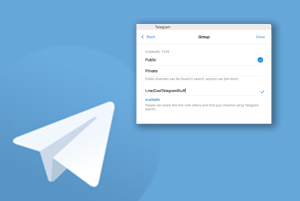
Types of telegram channel

Public Channel: A Public Telegram Channel is available and open to every User Telegram. This means they can access have to the messages on a channel without subscribing to it. This type of channel on the Telegram search results page, and they always have very short links to the channel.

Private Channel: As oppose to Public Telegram Channel the name has already categorically told you, how it works. It is not accessible and open to every Telegram user. This means a user can only have the messages on such channels by subscribing. You can see this type of channel on the Telegram search results page, and they always have short links to the address

PROMPTLY FOLLOW THE STEPS TO CREATING A TELEGRAM CHANNEL ON AN ANDROID

The following steps below will guide you through creating a Telegram Channel on your Android device:

  • Download the App from Goggle playstore and launch Telegram from your device’s home screen.
  • Tap on the New message icon at the bottom right of the Chats window.
  • Promptly Check the options available and tap New Channel to launch a new screen.
  • Click on Create Channel.
  • Provide the Channel name and add the description and a picture. After that, tap on the mark at the top right of the home screen.
  • Click whether you want the channel to be private or public then tap on the Tick mark.
  • Now you can Invite members from your contacts list and tap the Next arrow.

These few steps will guide you to create a Telegram channel, hope you have found it useful.

You can do well to visit our telegram channel to get more information http://t.me/droidvilla

Tags: How to create a telegram channelprivate and public telegram channelTelegram channel
SendShare372Tweet233Share
Celine Simon

Celine Simon

Related Stories

Download/Save Disabled TikTok Videos to Gallery

How to Download/Save Disabled TikTok Videos to Gallery

by Droidvilla Admin
April 27, 2024
0

- How to Download/Save Disabled TikTok Videos to Gallery - Funny TikTokers to follow TikTok is the go-to social media app for content creators and enthusiasts alike, with...

WhatsApp 60sec Video Status Length Upload

WhatsApp 60sec Video Status Length Upload

by Droidvilla Admin
April 26, 2024
0

WhatsApp 60sec Video Status Length Upload : A Game-Changer for Users! WhatsApp, known for its user-centric approach and frequent updates, has done it again! With the latest update,...

send and receive applications on Google PlayStore

How To Send and Receive Applications on Google PlayStore

by Droidvilla Admin
January 29, 2023
0

New update on Google PlayStore, lets you send and receive applications on Google PlayStore between two android devices, with the use of wifi. Droidvilla Technology Solution stumbled upon...

Amazing : How To Turn On Flashlight Using Harry Potter’s Spell “Lumos” On iOS and Android 2023

Amazing : How To Turn On Flashlight Using Harry Potter’s Spell “Lumos” On iOS and Android 2023

by Xavi
January 29, 2023
0

Google Assistant is a virtual assistant application made by Google that is majorly available on mobile and smart home devices. Unlike Google's previous virtual assistant, the Google Assistant...

Next Post
Amazing : Twitter Now Testing Out Tiktok-Like Explore Page 2021

Amazing : Twitter Now Testing Out Tiktok-Like Explore Page 2021

Leave a Reply Cancel reply

Your email address will not be published. Required fields are marked *

  • About
  • Advertise
  • Privacy & Policy
  • Contact Us
  • Disclaimer

© 2025 JNews - Premium WordPress news & magazine theme by Jegtheme.

Welcome Back!

Login to your account below

Forgotten Password?

Retrieve your password

Please enter your username or email address to reset your password.

Log In
No Result
View All Result
  • Apk apps
  • Android Tips/Tricks
  • Phone Reviews
  • How To
  • Phone Reviews

© 2025 JNews - Premium WordPress news & magazine theme by Jegtheme.