AI News
  • Apk apps
  • Android Tips/Tricks
  • Phone Reviews
  • How To
  • Phone Reviews
No Result
View All Result
AI News
  • Apk apps
  • Android Tips/Tricks
  • Phone Reviews
  • How To
  • Phone Reviews
No Result
View All Result
AI News
No Result
View All Result
Steps On How to Easily Delete WhatsApp Messages as a Group Admin 2023

Steps On How to Easily Delete WhatsApp Messages as a Group Admin 2023

Xavi by Xavi
January 11, 2023
in WhatsApp, Android Tips/Tricks, How To
0
930
SHARES
3k
VIEWS
Share on whatsappShare on FacebookShare on TwitterShare on Telegram

Whatsapp group admins can now easily delete posts and delete whatsapp messages of other members in their group. Most importantly, This hasn’t been a thing at all so it is quite interesting to finally have such an innovative feature, so kindly dive through this article as we explore this amazing feature with well detailed steps on how to do it

Contents hide
I. How to Delete WhatsApp Messages For Everyone On The Group Chat

II. How To Delete WhatsApp Messages You Have Sent For Everyone:
III. Steps to Delete WhatsApp Message Sent By Another Group Participant:
III.I. Telegram Channel

How to Delete WhatsApp Messages For Everyone On The Group Chat 

Delete WhatsApp Messages
How to Delete WhatsApp Messages For Everyone On The Group Chat

Deleting messages is a great feature which gives you the permission to delete any message sent in any chat, it comes in handy because there are certain messages we might feel inappropriate after it is being sent on the group chat.

This is quite significant because if you accidentally sent a message to the wrong chat or if the message you sent contains an error. As a group admin, you are very much obliged to remove any messages that deems disrespectful or any messages that could incite problems on the group chat that has been sent by any member of the group.

You will be notified accordingly at the bottom saying .“This message was deleted“.

How To Delete WhatsApp Messages You Have Sent For Everyone:
Delete WhatsApp Messages
How To Delete Whatsapp Messages You Have Sent For Everyone
  • Step 1: Kindly Open WhatsApp and navigate to the chat that has the message you want to delete.
  • Step 2: Tap and hold firmly on the message. You would see more options, then select more messages to delete multiple messages at once.
  • Step 3: Then Tap Delete and Delete for Everyone.

as an admin of a group, you can delete messages that has been sent by another group member. This really helps admins to carefully handle their private groups by deleting inappropriate or disrespectful messages or media for all members.

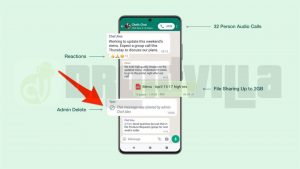
You will receive a notification below after taking out a message for everyone as an admin: “This message was deleted by admin, [admin name]”

Steps to Delete WhatsApp Message Sent By Another Group Participant:
Delete WhatsApp Messages
Steps to Delete WhatsApp Messages Sent By Another Group Participant
  • Step 1: First of all, Open WhatsApp and go to the chat that has the message you want to take out.
  • Step 2: Tap and hold the message.
  • Step 3: Tap Delete then tap Delete for Everyone then tap OK.

Please Kindly take note;
Delete WhatsApp Messages
Steps On How to Easily Delete WhatsApp Messages as a Group Admin
  • Each and every member of the group must be using the latest version of WhatsApp on their phones
  • members of the group using WhatsApp for iOS might still have media you sent saved to their Photos because of their different settings.
  • messages that have been on the group for a long time might not have the delete for everyone option so it might be too late by then
  •  that means you have about 2 days max after you’ve sent a message to request to Delete for Everyone.
  • Only group admins have the permission to delete messages that has been sent by other group members
  • Group admins have about 2 days after someone else sends a message to request to Delete for Everyone.
  • Group participants will have the permission to see which admin chose to Delete for Everyone.
  • Deleted messages by admins cannot be recovered so it is very important to always make a quick decision to either delete or keep the message

Kindly leave a message or subscribe to our channels below if you understood this brief articleon how to delete messages as an admin

Telegram Channel

Tags: Delete for everyoneDelete WhatsApp MessagesGroup messagesWhatsapp
SendShare372Tweet233Share
Xavi

Xavi

I am Pepple Xavier also known as Blaze, a Droidvilla content creator, A 400 level student in the University of Port Harcourt, studying Mechatronics Engineering. Found passion in technology ⚙ and decided to keep the world in touch with latest happenings around the world of technology. Visit us for daily tips and tricks, How To's and lots more www.droidvilla.com have to offer

Related Stories

Download/Save Disabled TikTok Videos to Gallery

How to Download/Save Disabled TikTok Videos to Gallery

by Droidvilla Admin
April 27, 2024
0

- How to Download/Save Disabled TikTok Videos to Gallery - Funny TikTokers to follow TikTok is the go-to social media app for content creators and enthusiasts alike, with...

WhatsApp 60sec Video Status Length Upload

WhatsApp 60sec Video Status Length Upload

by Droidvilla Admin
April 26, 2024
0

WhatsApp 60sec Video Status Length Upload : A Game-Changer for Users! WhatsApp, known for its user-centric approach and frequent updates, has done it again! With the latest update,...

know your GOtv login details

How to Know your GOTV login details (Surname and Phone Number) if forgotten

by Droidvilla Admin
January 22, 2024
1

- How to know your GOtv login details (Surname and Phone Number) if forgotten Hi there, did you forget your login details associated with GOtv and you're looking...

resubmit Pi KYC in 2024

How to resubmit Pi KYC in 2024 and get approval in minutes

by Droidvilla Admin
January 18, 2024
0

Pi has recently given all pioneers the opportunity to resubmit Pi KYC in 2024 after a very long wait. For all those who waited for this long to...

Next Post
Compatible MTN 5G iOS devices

Compatible MTN 5G iOS devices - See Full List

Leave a Reply Cancel reply

Your email address will not be published. Required fields are marked *

  • About
  • Advertise
  • Privacy & Policy
  • Contact Us
  • Disclaimer

© 2025 JNews - Premium WordPress news & magazine theme by Jegtheme.

Welcome Back!

Login to your account below

Forgotten Password?

Retrieve your password

Please enter your username or email address to reset your password.

Log In
No Result
View All Result
  • Apk apps
  • Android Tips/Tricks
  • Phone Reviews
  • How To
  • Phone Reviews

© 2025 JNews - Premium WordPress news & magazine theme by Jegtheme.