 |
| How To Fix Airtel Social HTTP injector Connection Errors [100%] |
Following our previous post on Airtel free browsing, downloading Latest airtel http injector configuration cheat file and also the social bundle activation code N100 for 500mb, we have got tens of messages on connection error and the error was later confirmed by me, so here is a quick fix guide.
So after much trials and errors, we have finally got a fix on Airtel social http injector configuration connection errors permanently and we have got the procedures on how to fix the connection error.
How To Fix Airtel Social HTTP Connection Errors 2020
Follow steps to fix Airtel Social HTTP Connection Error
- Clear your HTTP injector data and cache
- Now open HTTP injector app
- Import latest Airtel social configuration files from our previous post HERE
- After imported successfully, tap on US-SFO #1 – SSL & SSH as seen in the image below
- Press ok, press ok again, select Germany 🇩🇪 and tap on the first server (fastest server)
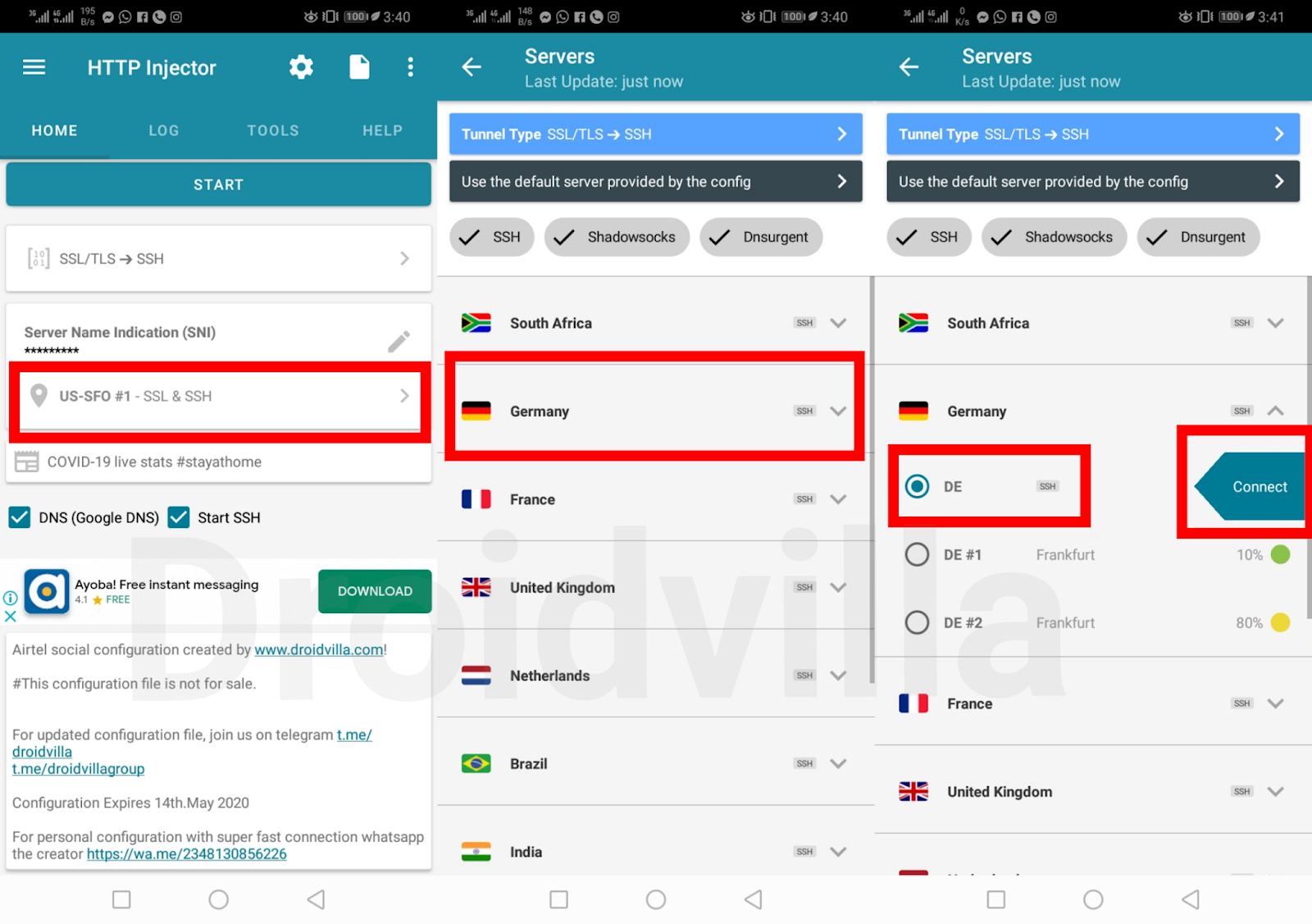
Airtel social http injector connection error fix - Tap connect
- Overwriting your current server config (Tap on Remote Proxy)
- Change Remote Proxy (Port) from 80 – 8080
- Leave secure Shell SSH ticked
- Tap on save and hit the start button
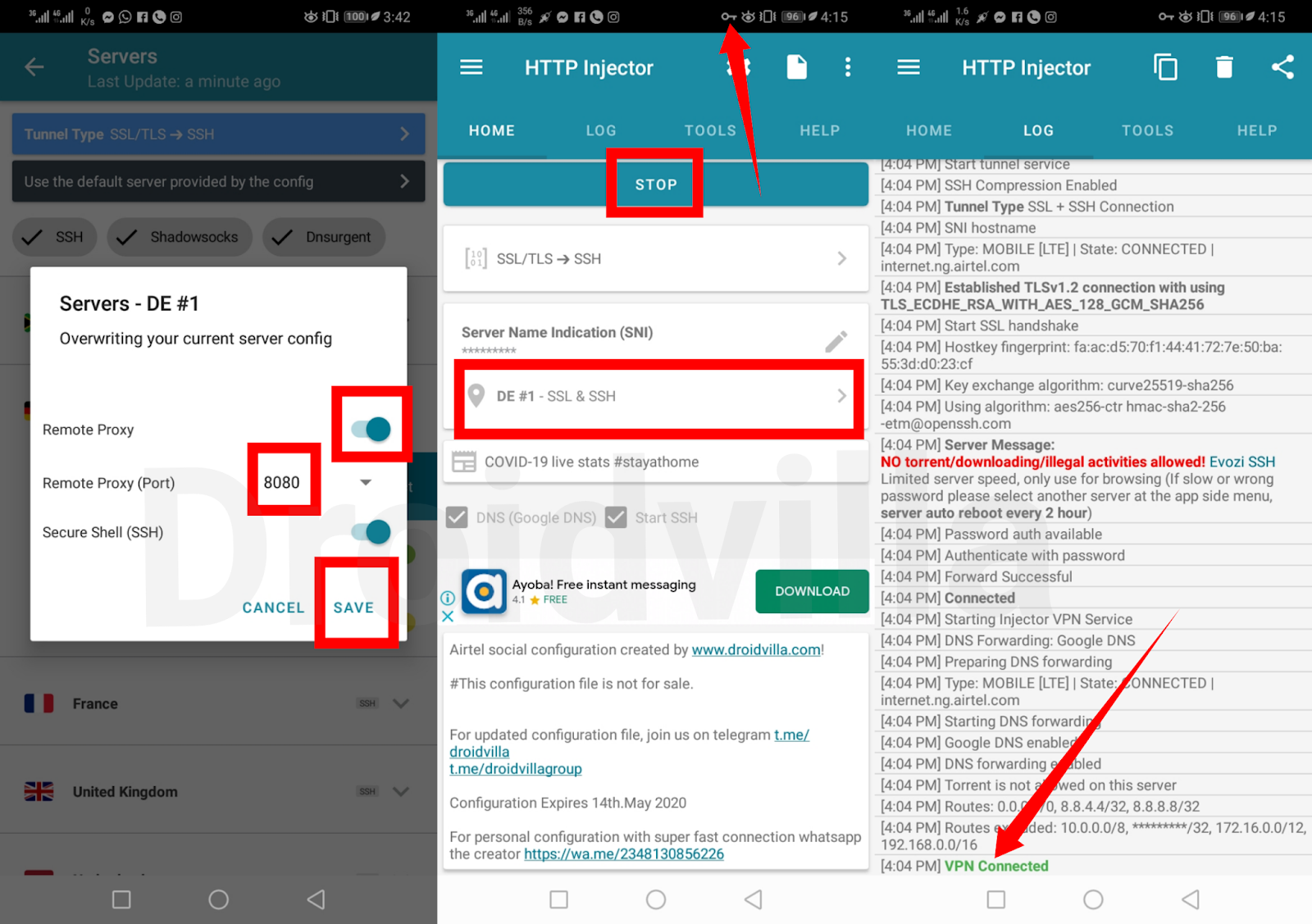
Airtel social http injector connection error fix
Wait for about 30 seconds and it should be connected!
I hope this fix helps resolve the Airtel Social HTTP configuration connection errors!
![How To Fix Airtel Social HTTP injector Connection Errors [100%]](https://droidvilla.com/wp-content/uploads/2020/05/20200416_170245.png "Droidvilla How To Fix Airtel Social HTTP injector Connection Errors [100%]")
Group Link HERE
Channel Link HERE
Do ensure to join our telegram group and channel to reach out to us for more free browsing cheat discussion and related issues solutions.
If you found How To Fix Airtel Social HTTP Connection Errors [100%] helpful, do leave a Comment behind, share this post using the share button icon to various social platforms.
Not working
Thnk you droidvilla.. Working just fine now
Not working yet