AI News
  • Apk apps
  • Android Tips/Tricks
  • Phone Reviews
  • How To
  • Phone Reviews
No Result
View All Result
AI News
  • Apk apps
  • Android Tips/Tricks
  • Phone Reviews
  • How To
  • Phone Reviews
No Result
View All Result
AI News
No Result
View All Result
How to report Facebook post, hacked or compromised Facebook account

How to report Facebook post, hacked or compromised Facebook account

Droidvilla Admin by Droidvilla Admin
July 10, 2021
in Android Tips/Tricks, Apk apps, How To
0
946
SHARES
3.1k
VIEWS
Share on whatsappShare on FacebookShare on TwitterShare on Telegram
Reporting a hacked or compromised Facebook account is quite easy, so is reporting a Facebook post that goes against its community standards.

Contents hide
I. How to report a hacked Facebook account or report a Facebook post
II. Reporting a Facebook post

    Have your account been hacked and the possibility of gaining back access to the hacked facebook account is low? Here is another interesting Facebook tips you should know if need be.

    Report Facebook post, hacked kr compromised Facebook account
    Report Facebook post, hacked or compromised Facebook account
    You can always report a hacked facebook account to be shut down permanently to avoid further fraudulent act and damage to your followers and friends. 

    As we push forward, we shall be revealing some quick and easy ways of reporting a hacked facebook or compromised Facebook account to get it disabled/blocked. 
    However, it is not only a hacked facebook account or compromised Facebook account that can be reported, you can always report a Facebook user post if you feel the post goes against one or two of Facebook community standards.
    If you find a Facebook post offensive, you have got the report option right before you for the post to be taken down when reviewed and found wanting by the Facebook community team.

    How to report a hacked Facebook account or report a Facebook post

    To report a Facebook account or report a Facebook post that you find violating Facebook community standards, here is just what to do.
    Ensure to follow steps below accordingly!
    • Open the Facebook app
    • Locate the hacked facebook account profile
    • Now tap on the three dotted icon at the right side as marked in below image
    Report Facebook profile
    Report Facebook profile
    • Tap on the Find support or Report Profile
    • Select from the below listed report options that suits your claim… 
    Find support or Report profile
    Find support or Report profile
    Find support or Report profile
    Pretending to be someone Facebook 
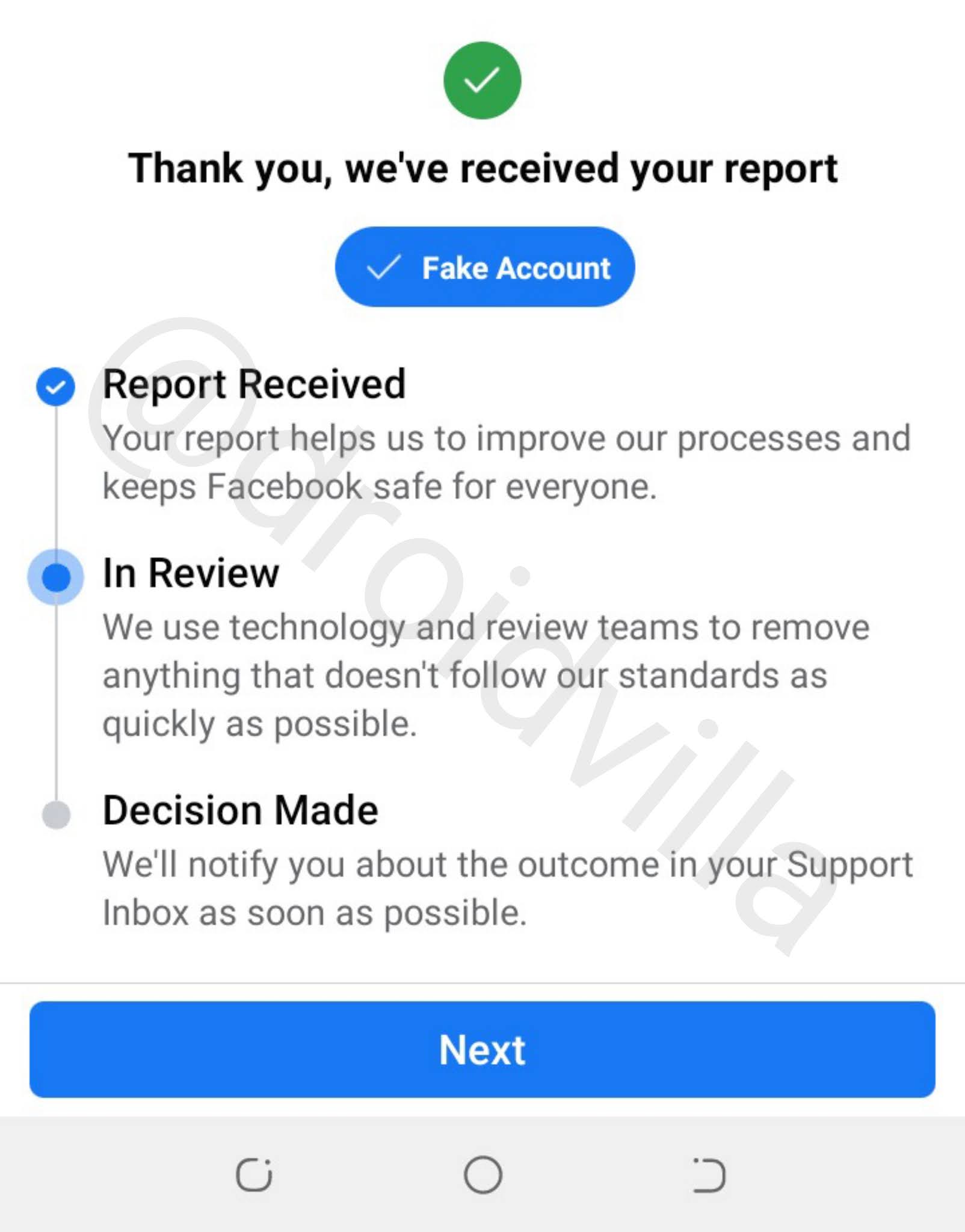
    Since it is a hacked facebook account, you can select the Report category of Pretending to be someone, Fake account or fake name.

    • Who are they pretending to be? You have option to choose (Me, A friend or Celebrity)
    • Select Preferred option and proceed to report the hacked or compromised Facebook account.
    Find support or Report profile
    Facebook community standards review
    Facebook account report successful
    Facebook profile reported success
    To get the hacked or compromised facebook account blocked or disabled within 48hours, do ensure to let your friends know about the hacked facebook account and let them report the said Facebook account multiple times.
    This usually works about 99% when done by friends on the list of the hacked Facebook account.

    Reporting a Facebook post

    Reporting a Facebook post is somewhat like that of reporting a hacked or compromised Facebook account. All you have to do is simply
    • Locate the Facebook post you feel goes against Facebook community standards
    • Tap on the three dotted icons beside the top right side of the post as shown in image below
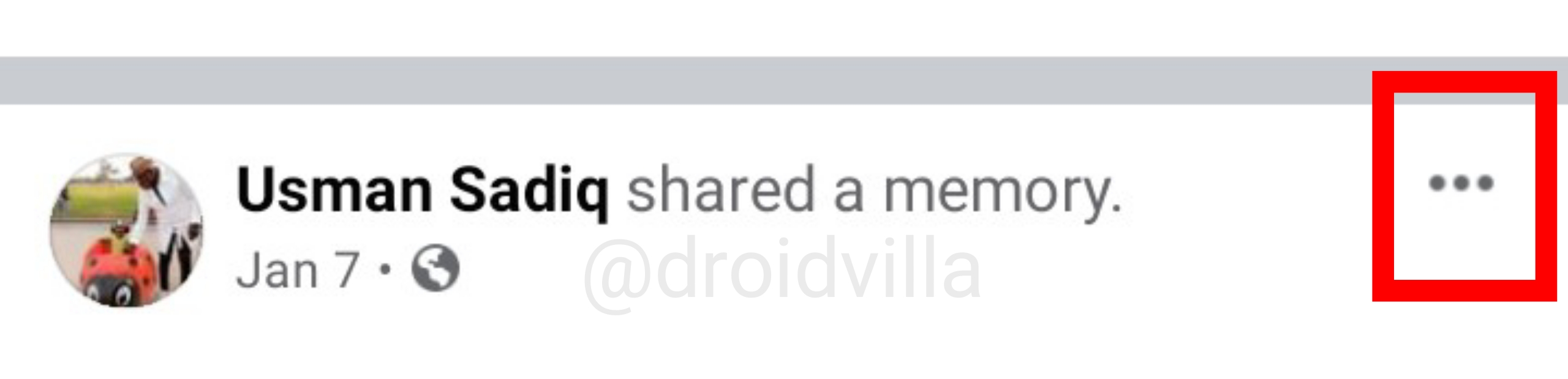
    Report a Facebook post
    Report a Facebook post
    Report a Facebook post
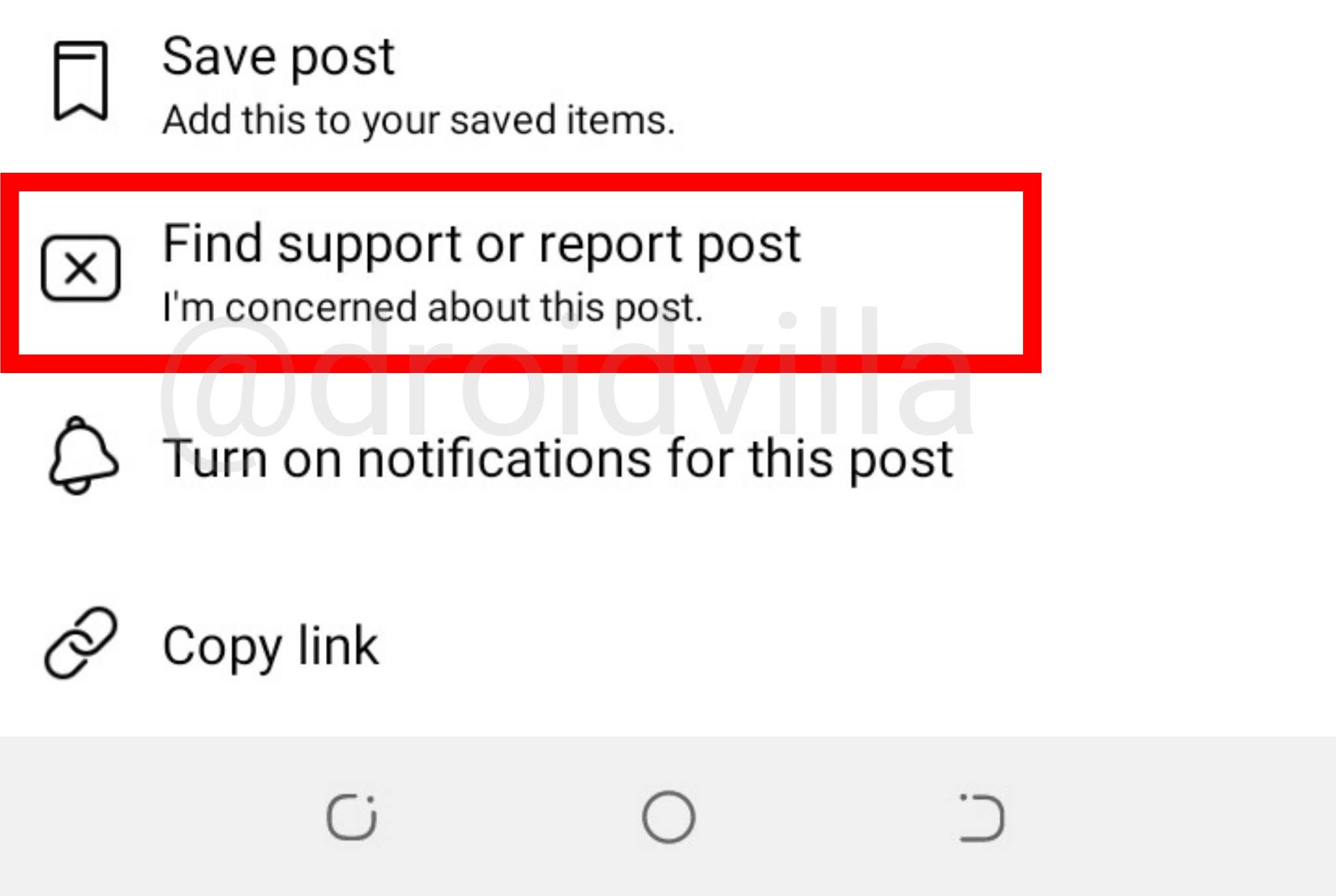
    Find support or Report post
    • Now select the Find support or Report post option
    • Select a problem you think the post goes against Facebook community standards from the list of report options provided image below
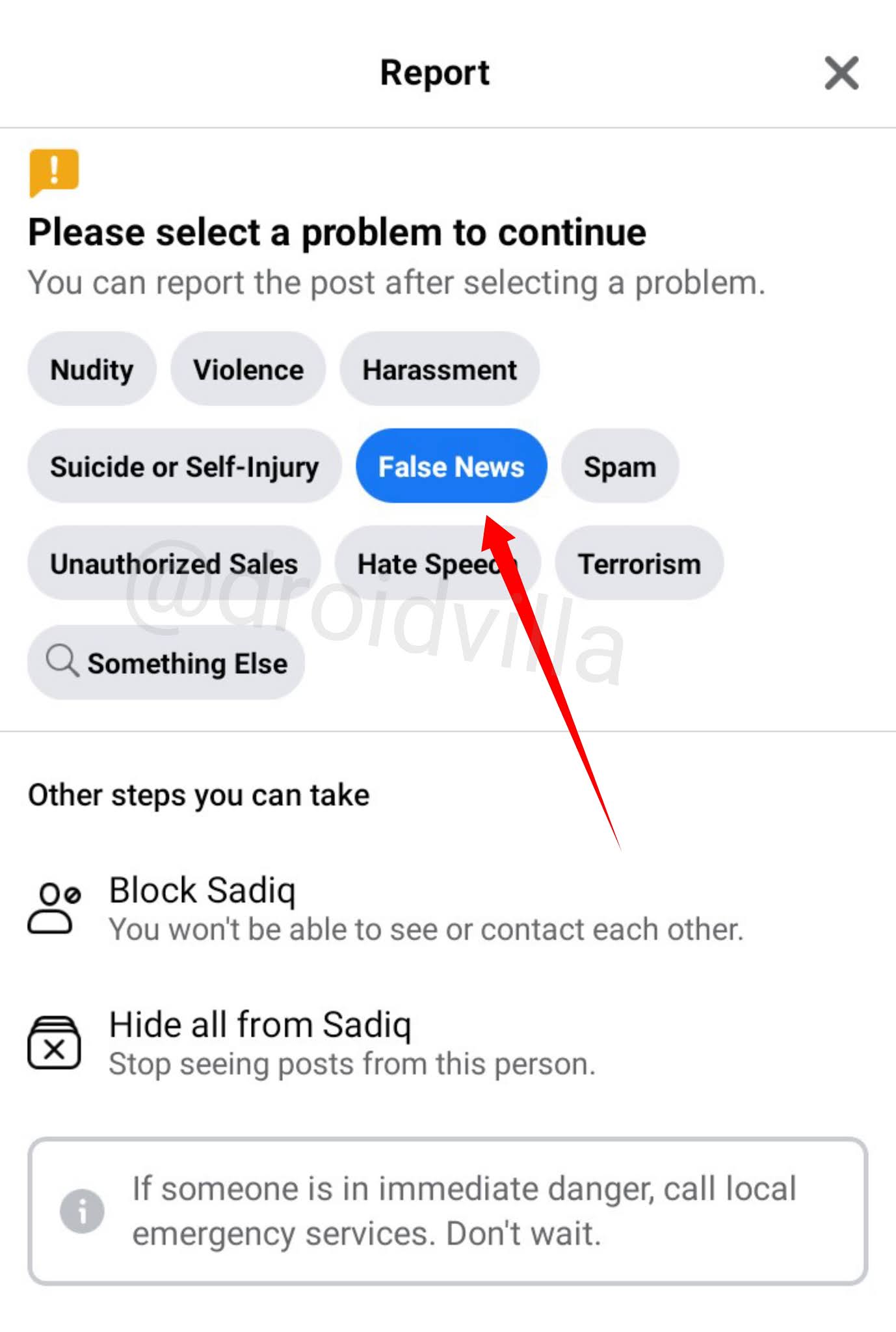
    Report a Facebook post
    Report a Facebook post
    • Once selected, tap on the next button and your report will be submitted for review by Facebook community team. Once it is verified to go against the Facebook community standard terms, the post will be taken down with immediate effect. 
    Facebook post reported
    Facebook post reported
    For this to take effect quick, share to friends to also report that same post multiple times and this should work so fast.

    Don’t forget to share to friends who might possibly be looking for ways to block or report a hacked or compromised Facebook account. 

    Tags: facebookFacebook tipshacked facebookhow to report a Facebook postreport a compromised Facebook accountreport Facebookreport hacked facebook account
    SendShare378Tweet237Share
    Droidvilla Admin

    Droidvilla Admin

    I am Nnoka Godswill also known as Favtechblogger. Lover of Android/Technology, a passionate tech content creator with over 5 years + of blogging experience, an SEO god, a Marketer, and a graduate of Electronics and Computer Engineering from the University of Port Harcourt . Email the author at favtechblogger@gmail.com.

    Related Stories

    Download/Save Disabled TikTok Videos to Gallery

    How to Download/Save Disabled TikTok Videos to Gallery

    by Droidvilla Admin
    April 27, 2024
    0

    - How to Download/Save Disabled TikTok Videos to Gallery - Funny TikTokers to follow TikTok is the go-to social media app for content creators and enthusiasts alike, with...

    know your GOtv login details

    How to Know your GOTV login details (Surname and Phone Number) if forgotten

    by Droidvilla Admin
    January 22, 2024
    1

    - How to know your GOtv login details (Surname and Phone Number) if forgotten Hi there, did you forget your login details associated with GOtv and you're looking...

    resubmit Pi KYC in 2024

    How to resubmit Pi KYC in 2024 and get approval in minutes

    by Droidvilla Admin
    January 18, 2024
    0

    Pi has recently given all pioneers the opportunity to resubmit Pi KYC in 2024 after a very long wait. For all those who waited for this long to...

    DSTV Now App Not Showing Live Channels

    DSTV Now Error: 1 Fix to DSTV Now App Not Showing Live Channels

    by Droidvilla Admin
    January 14, 2024
    0

    @dstvcareFinally, here is a solution to fix the dstv now error app not showing live channels when a subscription is active. The dstv now error suddenly do not show/display...

    Next Post
    Glo YouTube plans: Enjoy 1 hour, 3 hours, YouTube streaming for N50 and 3 hours, 7 hours YouTube streaming for n130

    Glo YouTube plans: Enjoy 1 hour, 3 hours, YouTube streaming for N50 and 3 hours, 7 hours YouTube streaming for n130

    Leave a Reply Cancel reply

    Your email address will not be published. Required fields are marked *

    • About
    • Advertise
    • Privacy & Policy
    • Contact Us
    • Disclaimer

    © 2025 JNews - Premium WordPress news & magazine theme by Jegtheme.

    Welcome Back!

    Login to your account below

    Forgotten Password?

    Retrieve your password

    Please enter your username or email address to reset your password.

    Log In
    No Result
    View All Result
    • Apk apps
    • Android Tips/Tricks
    • Phone Reviews
    • How To
    • Phone Reviews

    © 2025 JNews - Premium WordPress news & magazine theme by Jegtheme.