XOS 4 is coming and it packs quite a handful of some very exciting new features, but of which probably a lot of people are gonna think they’re just overhyped and are something that we’re already used to seeing before. Want to find out? then i bet you should read this article to the very last word to do so… Say hello to Infinix XOS 4, say hello to the Honeybee .. enjoy

Infinix XOS 4 Honeybee latest update
What Is Infinix XOS 4?
Okay, now if you’ve been a longtime user of Infinix smart phones, then first of all you should know that XOS is Infinix’s own customized skin that is proprietary to their phones alone, just the same way Samsung has Touchwiz which has now been changed to Samsung Experience or Samsung’s One UI, Huawei also has EMUI and so on.. So almost every brand of smart phone out there has their own take and different flavors of customised UI, and XOS is Infinix’s own take on it.
Infinix XOS

So having known that, now XOS 4, codenamed Honeybee is the latest and fourth addition of Infinix to its XOS customized UI family. It packs a ton of new features which will be listed out shortly and it will probably be coming out first on the upcoming Infinix Zero 6 flagship phone by early January next year, and after that, it will slowly begin rolling out to other supported Infinix smart phones.
What Are The New Features Of XOS 4 Honeybee?
Okay like i said up there before, some features which are labeled as new here, are things that we are used to seeing already on older versions of XOS, and as for me personally, i think this whole thing is just overhyped..
Brand new icon designs.
Expanded View
Smart Text Classifier
System Gesture Navigation
Smart Screen Split
Ignite AI Face Beauty
My Smart XBoard
Apps Hiding
Multiple Accounts Support
Fingerprint Call Recording
Fingerprint Quick App Launch
Scan To Recharge
Okay so for Brand New Icons, well i guess you already know what it means, XOS 4 is gonna come with a younger, gorgeous and more elegant visual presentation, exploring the infinite possibilities of design and aesthetics to allow every detail to be more attractive. Now in case you don’t understand all those big big grammar up there, well, i don’t understand too, that was what Infinix said, not me, so i bet we’re just gonna have to wait till we see the visual presentation with our eyes.

Expanded View let’s XOS adapts to fit around the Notch allowing the screen to present more contents and a larger operating area. Allows for a switch between a normal display and one featuring a notch.
Expanded View
Smart Text Classifier Takes advantage of text recogniton results to generate links and gives users more click-through options to move faster to the next step.


New system navigation
Now for Smart Screen Split, during a video or gaming session, incoming messages will automatically float out in a pop-up window, when clicked to reply the screen will be split to two showing the video/game on one and messages on another, allowing for a smooth coherent experience.

smart split screen
Ignite AI Face Beauty is an advanced AI beautification algorithm that realizes a one-click beauty package and a one-click brightening, making each photo clear and beautiful.

AI Face Beauty
My Smart XBoard is a new XBoard supports dynamic updates to match the user’s high frequency application service in a timely manner, which is more convenient and fast to use

My Smart Xboard
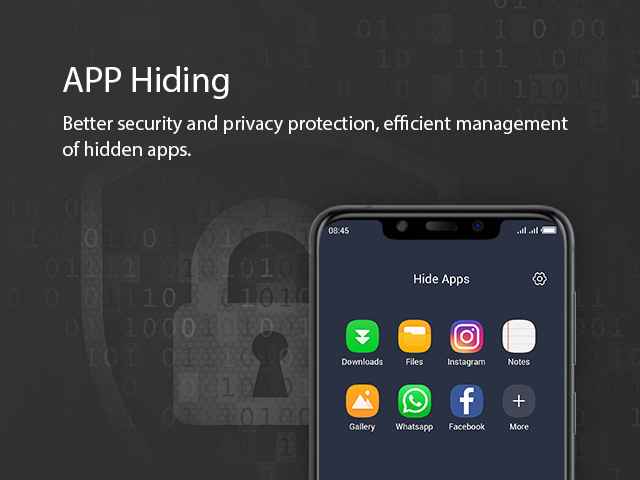
App Hiding offers better security and privacy protection, efficient management of hidden apps. Similar to what you’d get on Infinix Xhide. You can read about it here.

Better app hiding
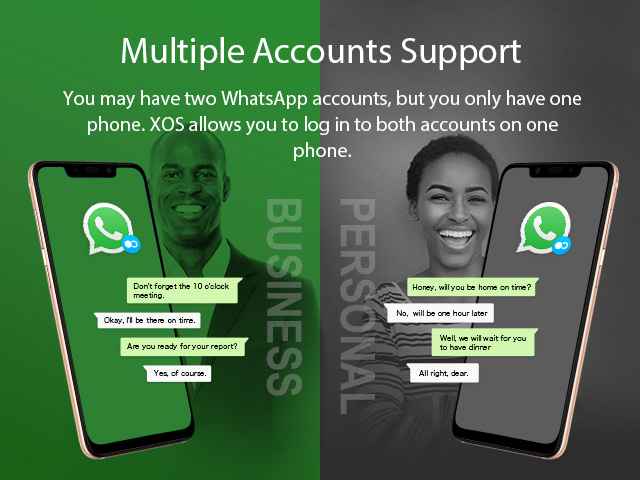
Multiple Accounts Support is another thing that we are already used to seeing on older Infinix phones too. It simply lets you run two accounts of the same social network on one phone. For example, lets say you have two WhatsApp accounts, which you and i already know that you can’t log in more than one Whatsapp account om a single phone. But with the Multiple Accounts Support, you can log in both accounts on the same phone. Same thing with other social media accounts that you own too.
Fingerprint Quick App Launch let’s you assign a single app to your fingerprint reader, so once you tap on it, boom, the app comes to life.
And as for the last but not the least, now first of all, this is not that much of a very new feature, but it is actually gonna appear as a new feature to many, probably because they’ve not heard of it, and formally it was included as native feature on the older versions of Infinix XOS UI.
So what is it? Scan To Recharge.

Yes it simply lets you recharge airtime vouchers directly to your phone without having to dial or type the digits yourself.. All you just have to do is open the app, point your phone’s camera to the recharge card or airtime voucher, once your phone can see the numbers clearly, boom, your phone gets topped up immediately…
Join Our WhatsApp Group ➡ join
Join Our Telegram Group j ➡ oin