AI News
  • Apk apps
  • Android Tips/Tricks
  • Phone Reviews
  • How To
  • Phone Reviews
No Result
View All Result
AI News
  • Apk apps
  • Android Tips/Tricks
  • Phone Reviews
  • How To
  • Phone Reviews
No Result
View All Result
AI News
No Result
View All Result
Amazing: Live Translated Captions Are Now Available On Google Meet 2022

Amazing: Live Translated Captions Are Now Available On Google Meet 2022

Xavi by Xavi
January 17, 2022
in Android, Applications, Google, Tech News
0
935
SHARES
3k
VIEWS
Share on whatsappShare on FacebookShare on TwitterShare on Telegram

Google Meet’s most useful feature is its automatic captions but it’s been limited to translating only English before now.

It was announced by Google last year that they are working on live translated captions and after months of testing, it’s been rolled out to eligible Google Workspace users.
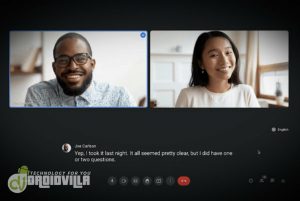
Live Translated Captions
Google Meet Gets Live Translated Captions

This feature is limited to translating English to these four languages: Portuguese, French, Spanish and German. The translated captions can be accessed both on mobile devices and on web but the organizers will need to have an eligible account.

Having live translated captions is useful for those who aren’t fluent in English. The current limitation, apart from the translations being for only the four aforementioned languages, is that only spoken English can be translated.

Though the availability of this may be expanded eventually but for now, this is what we get. This feature will be useful in education settings as teachers will be able to connect with students from different backgrounds.

More About The New Live Translated Captions

Nevertheless, you shouldn’t expect this to work perfectly, like any automatic translation feature. The live translated captions will be made available for meetings that are organized by the following:

Google Workspace Business Plus, Enterprise Standard, Enterprise Plus, the Teaching and Learning Upgrade, and Google Workspace for Education Plus customers.

Live Translated Captions
Google Meet Gets Live Translated Captions

That said, those who have these types of accounts are not eligible to use it: Enterprise Essentials, Google Workspace Essentials, Business Starter, Google Workspace for Education Standard, Business Standard.

If you are part of the group that’s eligible, the live translations captions, it can be enabled by going to Settings – Captions – Translated captions then choose the language you want the captions to be translated to.

For mobile users, you will see it under Settings – Captions – Live Captions-Translation Language.

Join Other Friends On Our Fast Growing Telegram Channel To Get Latest Tech News And Updates Via The Link Below

https://t.me/droidvilla

Tags: Englishgoogle meetLive Translated CaptionsMoreSpanish
SendShare374Tweet234Share
Xavi

Xavi

I am Pepple Xavier also known as Blaze, a Droidvilla content creator, A 400 level student in the University of Port Harcourt, studying Mechatronics Engineering. Found passion in technology ⚙ and decided to keep the world in touch with latest happenings around the world of technology. Visit us for daily tips and tricks, How To's and lots more www.droidvilla.com have to offer

Related Stories

Download/Save Disabled TikTok Videos to Gallery

How to Download/Save Disabled TikTok Videos to Gallery

by Droidvilla Admin
April 27, 2024
0

- How to Download/Save Disabled TikTok Videos to Gallery - Funny TikTokers to follow TikTok is the go-to social media app for content creators and enthusiasts alike, with...

WhatsApp 60sec Video Status Length Upload

WhatsApp 60sec Video Status Length Upload

by Droidvilla Admin
April 26, 2024
0

WhatsApp 60sec Video Status Length Upload : A Game-Changer for Users! WhatsApp, known for its user-centric approach and frequent updates, has done it again! With the latest update,...

send and receive applications on Google PlayStore

How To Send and Receive Applications on Google PlayStore

by Droidvilla Admin
January 29, 2023
0

New update on Google PlayStore, lets you send and receive applications on Google PlayStore between two android devices, with the use of wifi. Droidvilla Technology Solution stumbled upon...

Amazing : How To Turn On Flashlight Using Harry Potter’s Spell “Lumos” On iOS and Android 2023

Amazing : How To Turn On Flashlight Using Harry Potter’s Spell “Lumos” On iOS and Android 2023

by Xavi
January 29, 2023
0

Google Assistant is a virtual assistant application made by Google that is majorly available on mobile and smart home devices. Unlike Google's previous virtual assistant, the Google Assistant...

Next Post
Breaking: Samsung's January 2022 recent update has arrived, for more phones internationally

Breaking: Excitement unfolds as Samsung's January 2022 recent update arrives for more phones internationally

Leave a Reply Cancel reply

Your email address will not be published. Required fields are marked *

  • About
  • Advertise
  • Privacy & Policy
  • Contact Us
  • Disclaimer

© 2026 JNews - Premium WordPress news & magazine theme by Jegtheme.

Welcome Back!

Login to your account below

Forgotten Password?

Retrieve your password

Please enter your username or email address to reset your password.

Log In
No Result
View All Result
  • Apk apps
  • Android Tips/Tricks
  • Phone Reviews
  • How To
  • Phone Reviews

© 2026 JNews - Premium WordPress news & magazine theme by Jegtheme.