– 7 Ways to Get Professional Quality Video from Your smartphone
Smartphones today come with great cameras, which have made it easier and more convenient for anyone to take good quality photos and videos from them.
It is no longer difficult for professional video creators to make quality videos using just their smartphones.
Advantages of shooting videos from smartphones
There are several advantages to shooting videos with a smartphone if you are planning to get into video editing.
Today’s smartphones come equipped with high-quality cameras that can record HD and 4K videos with multiple effects and filters, making it easy to shoot professional-quality videos.
Here are some benefits to using a smartphone for creating videos:
- Mobile phones are easy to carry everywhere. When you want to shoot the video, all you need to do is take the phone out to start shooting the video. If you have a good smartphone with a decent camera, you can shoot videos quickly and spontaneously without having to lug around large and bulky cameras.
- Many applications are available on Android and iOS platforms that extend the functionality of your built-in camera. You can find sophisticated apps to enhance the videos captured and add interesting editing effects with these applications. Choose a good video editor to improve the quality of your videos. Some of them even allow you to directly upload the finished video to various social media platforms immediately.
- Since phones are becoming more capable and efficient at capturing videos, the most interesting thing to note is that video entrepreneurs are also finding it easier to get into professional filmmaking and make a career in it.
While it is good to have a smartphone with the best camera features, it is of no use if you do not know the right techniques for capturing and editing videos.
Your video needs to be perfect in highlighting what story or message you want to show through it.
Thus, to create professional-quality videos from your smartphone, it will help you if you have a good video making and editing technique.
In addition, you can also edit the videos captured from your smartphone on a video editor.
Here are 7 tips you can follow to create professional-quality videos using your smartphone:
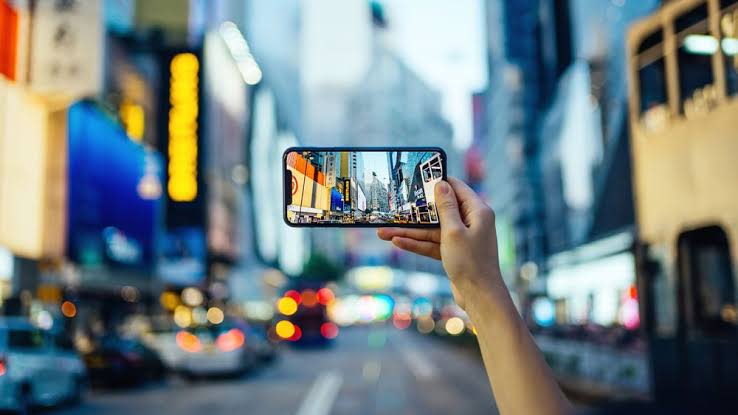
- Ensure good lighting:
Smartphone lenses and image sensors are usually much smaller than other cameras. Therefore, having proper lighting at the time of shooting the video has a significant impact on the quality as it highlights the subject well.
Try to shoot the video in the best possible location with as much natural daylight as possible. If you don’t have easy access to natural light for your video, invest in lighting equipment for shooting your videos.
Many phones also have an automatic exposure setting that can be activated by tapping on the camera screen.
This helps to automatically fix the brightness and exposure, thus enhancing the look of your video.
- Stay steady while shooting the video:
For good quality videos, it is important to ensure that the video is not blurred, distorted or that you capture shaky footage.
Use both your hands to hold the smartphone steady while shooting the video. If you plan on shooting longer videos and want to avoid fatigue while holding the smartphone, it is a good idea to invest in tripods and stabilizers to make your video shooting process more comfortable.
If you’re on a tight budget and cannot invest in smartphone stabilizers and tripods, you can use physical supports like tables, chairs, shelves, a wall, etc. to keep your smartphone steady.
- Good audio & video are important:
Poor audio quality can ruin any good video. Consider focusing on the audio quality of the video at the time of the shooting. Most smartphones come with basic quality in-built microphones that affect the video’s audio quality.
It is difficult to edit poorly captured audio portions in post-production. It is advisable to find a peaceful location with minimum distractions to ensure perfect audio quality while shooting.
You can also invest in some external recording pieces like mics to improve the audio quality of your videos.
- Remain close to the subject you want to shoot:
Staying physically close to your subject ensures that you capture the subject in the best quality and focus.
Many phones offer either digital zoom or optical zoom; however, it is advisable to use digital zoom for better focus on the subject.
Moreover, if your video requires capturing details, you can purchase clip-on macro lenses that can fit onto your Android smartphones and iPhones.
- Stabilize smooth footage while shooting video:
The advancements in smartphone technology have led to useful features like optical and electronic stabilization.
These features help get better and more smooth footage by stabilizing the camera even if your hands are shaky while holding the smartphone.
The best video editor app
If your subject is moving or if you need to move the camera to shoot different subjects, you can use a physical gimbal which will help stabilize the smartphone and allow you to shoot the video smoothly.
- Make use of mobile apps to improve video quality:
You can take the help of suitable mobile apps for enhancing the quality of the videos. Although your camera may do a great job at capturing the video, there are many apps for both iOS and Android phones that come with extra features, special effects and enhancements that can improve the overall quality of your videos.
- Be prepared before you shoot your video:
You should make all the necessary preparations before shooting the video. This includes preparing the script, locations, actors, gear and props.
Make sure that your phone’s battery is charged and that you have enough storage space to save the recorded videos.
Additionally, you must ensure that your phone’s camera quality is fantastic to shoot videos.
Conclusion:-
Preparing a perfect and professional video is an art. You can achieve this art by following the tips above, learning some video editing skills, considering the camera quality, lighting, shooting location, and more.
The best smartphone with top-notch camera quality and with sufficient knowledge and video-making skills, you can soon become a pro video shooting expert and editor in no time.
Join us on Telegram
Very useful tips. Thanks.
Thanks for the tip really helpful. Keep it up