AI News
  • Apk apps
  • Android Tips/Tricks
  • Phone Reviews
  • How To
  • Phone Reviews
No Result
View All Result
AI News
  • Apk apps
  • Android Tips/Tricks
  • Phone Reviews
  • How To
  • Phone Reviews
No Result
View All Result
AI News
No Result
View All Result
Amazing : Telegram Version 8.4 Includes Features Like Translations, And Emoji Reactions

Amazing : Telegram Version 8.4 Includes Features Like Translations, And Emoji Reactions

Xavi by Xavi
January 2, 2022
in Telegram, Android, Apk apps, Applications, Tech News
0
930
SHARES
3k
VIEWS
Share on whatsappShare on FacebookShare on TwitterShare on Telegram

Telegram 8.4 beta was made available to Android few days ago and now, the new version is already being rolled out steadily to everyone.

According to what was shared by the company in a blog post, Telegram Version 8.4 is bringing support for quick emoji reactions, translations, spoiler text styling and more animated emoji.

With quick emoji reactions, you’ll be able to send a thumbs up simply by double tapping a message. This is useful to acknowledge the fact that you’ve received some information.

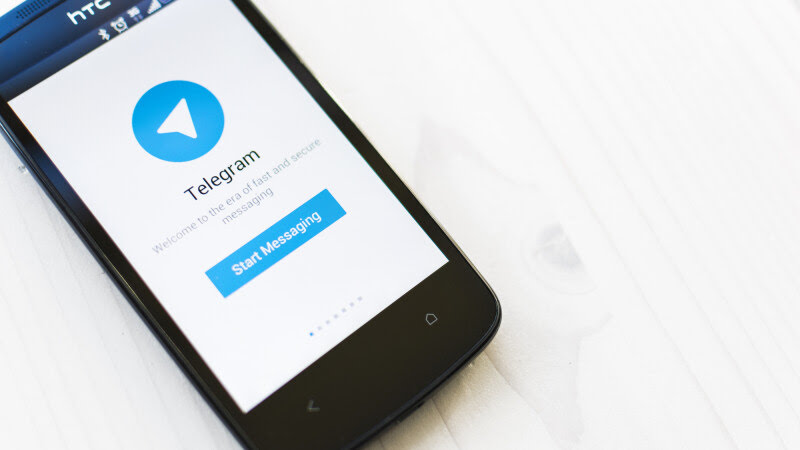
Telegram Version 8.4
Telegram Version 8.4 Includes Features Like Translations, And Emoji Reactions

Although it’s viable to change your default reaction in Telegram’s settings. For other reactions, you’ll have to tap the message you want to reply to once and pick the particular emoji you want to send.

While in groups, admins can control which reactions are allowed. we’re aware that Telegram isn’t only used to communicate with close peers.

More About The New Telegram Version 8.4

Users from different part of the world are also parts of huge channels and international public groups. This is where translation of languages is useful.

This feature can be activated in Settings>Language. Once activated, it will give you a translate button whenever you come across a foreign text while using your Telegram.

Telegram Version 8.4
Telegram Version 8.4 Includes Features Like Translations, And Emoji Reactions

You can also specify which languages you’re fluent in, that’s, if you don’t need translations everywhere. Concerning the spoiler styling, it will allow you to hide some specific parts of your message from view until it’s tapped.

Texts could be hidden from view by selecting it before sending and then applying the “Spoiler” styling in the menu that pop-ups. The sender and recipients will only see the text once they tap on the hidden text.

Additionally, few fun things was added to Telegram 8.4. You can now enjoy new themed QR codes that can be shared by anyone that has a public username or a public group or channel.

There are also a few new animated emoji. Telegram version 8.4 can be downloaded on the Play Store. If it is not available there for you, you can get it on APK Mirror.

What are you waiting for? Rush now to download it so you can enjoy the new experiences that comes with this version.

Join Us On Telegram For More Exciting Updates

https://t.me/droidvilla

Tags: Emoji ReactionsfeaturesTelegramTelegram Version 8.4Translations
SendShare372Tweet233Share
Xavi

Xavi

I am Pepple Xavier also known as Blaze, a Droidvilla content creator, A 400 level student in the University of Port Harcourt, studying Mechatronics Engineering. Found passion in technology ⚙ and decided to keep the world in touch with latest happenings around the world of technology. Visit us for daily tips and tricks, How To's and lots more www.droidvilla.com have to offer

Related Stories

Download/Save Disabled TikTok Videos to Gallery

How to Download/Save Disabled TikTok Videos to Gallery

by Droidvilla Admin
April 27, 2024
0

- How to Download/Save Disabled TikTok Videos to Gallery - Funny TikTokers to follow TikTok is the go-to social media app for content creators and enthusiasts alike, with...

WhatsApp 60sec Video Status Length Upload

WhatsApp 60sec Video Status Length Upload

by Droidvilla Admin
April 26, 2024
0

WhatsApp 60sec Video Status Length Upload : A Game-Changer for Users! WhatsApp, known for its user-centric approach and frequent updates, has done it again! With the latest update,...

DSTV Now App Not Showing Live Channels

DSTV Now Error: 1 Fix to DSTV Now App Not Showing Live Channels

by Droidvilla Admin
January 14, 2024
0

@dstvcareFinally, here is a solution to fix the dstv now error app not showing live channels when a subscription is active. The dstv now error suddenly do not show/display...

cheat db ppsspp

How to use cheats on ppsspp: Download cheat db PPSSPP Android Games Cheat file

by Droidvilla Admin
December 24, 2023
1

How to use cheats on ppsspp: Download cheat db PPSSPP Android Games Cheat file Good news to all ppsspp (iso) Android game fans. Droidvilla Technology Solution will show...

Next Post
Interesting : Galaxy S21 FE 5G Review Out Ahead Of Official Launch

Interesting : Galaxy S21 FE 5G Review Out Ahead Of Official Launch

Leave a Reply Cancel reply

Your email address will not be published. Required fields are marked *

  • About
  • Advertise
  • Privacy & Policy
  • Contact Us
  • Disclaimer

© 2025 JNews - Premium WordPress news & magazine theme by Jegtheme.

Welcome Back!

Login to your account below

Forgotten Password?

Retrieve your password

Please enter your username or email address to reset your password.

Log In
No Result
View All Result
  • Apk apps
  • Android Tips/Tricks
  • Phone Reviews
  • How To
  • Phone Reviews

© 2025 JNews - Premium WordPress news & magazine theme by Jegtheme.