
6 Ways to Watch YouTube Without Going to YouTube
 |
| WATCH YOUTUBE |
Do you sometimes get tired of YouTube? No, we don’t mean tired of YouTube’s ocean of content. We’re talking about YouTube’s interface, with its suggestions, comments, and clutter. The interface is just too messy. But did you know that it’s possible to watch YouTube videos on other websites without going to YouTube?
Here’s the list and how to watch YouTube videos without YouTube
- Toggles
- ViewPure
- VLC
- DF Tube
- Kodi
- NSFW YouTube
 |
| Toggles |
- Toggles :This is a fast and minimalist alternative interface for YouTube. The main page offers trending videos in various categories, but you can also search for specific videos, which load near-instantly. The viewing interface is also speedy. There are no comments, no recommended videos, and no other clutter. It means nothing is going to pull valuable bandwidth away from the core task of playing your video as soon as possible.The video’s description and metadata are shown in the left-hand panel. If you want to see the related videos, you can click on the tab in the upper-left corner when you’re ready to have a look. Toogles even has a Chrome extension for a faster way to search.
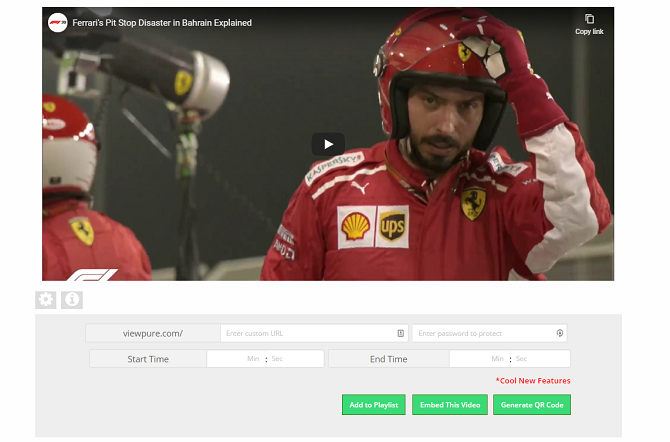
ViewPure - ViewPure:ViewPure is another way to watch YouTube videos without YouTube itself. Like Toggles, it strips away all of the junk that can make the YouTube viewing experience so frustrating—there are no comments, suggestions, or other distractions. The site also removes ads from videos, making it ideal for use in classrooms or at home with kids.There’s also a toggle to flick between a white and black background while watching content.
- VLC:One of the most oft-overlooked ways to watch YouTube is to skip the browser entirely. Instead, you can use a specialist video player app that’ll stream videos directly from a URL. VLC is probably the most well-known such player, but there are many other video players for Android, iOS, and desktop that provide the same functionality.To play the video, go to Media > Open Network Stream and paste in the full YouTube URL for the specific video you want to watch. When you are ready, hit the Play button and give the stream a few seconds to load and buffer.
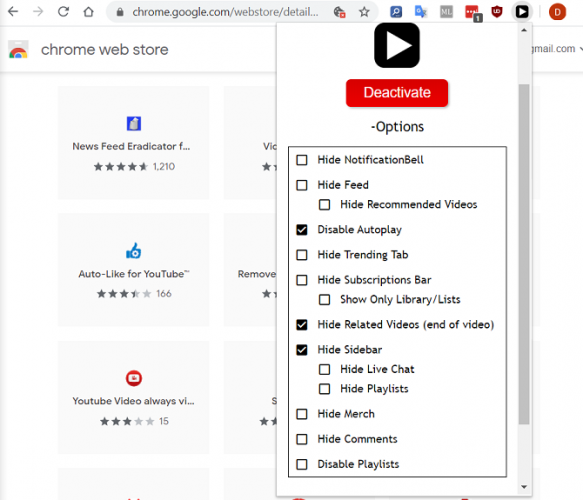
Df tubeDf tube - DF TubeDF Tube—short for Distraction-Free Tube—is a Chrome browser extension that lets you improve the original YouTube site rather than offering an alternative YouTube URL.The tool allows you to hide the YouTube feed, hide the “Related Videos” that pop up at the end of the video you’re currently watching, hide the sidebar, hide playlists, hide the comments, hide the subscription bar, hide live chat, hide the trending tab, and disable autoplay. You can even use it to disable playlists.
- Kodi:Kodi is another way you can watch YouTube videos without YouTube and outside of your browser. For those who don’t know, Kodi is a free media player that has addons for free movies, addons for IPTV, addons for live news, and yes, you guessed it, addons for YouTube.It is not an official YouTube/Google app. You will, however, be able to find and download it from Kodi’s official repo, which means that Kodi’s developers have taken a look at it and deemed the addon to be stable enough and reliable enough for widespread use.The addon offers many of the same features that you’ll find on the main YouTube URL, including a way to add videos to your Watch Later list, adding videos to personal playlists, support for Likes and Dislikes, and a Subscribe button.
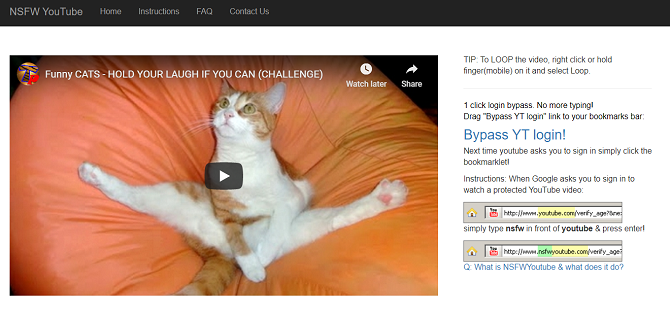
NSFWYOUTUBE - NSFWYouTube:Despite the connotations of the name, NSFWYouTube is actually a tool that lets you watch any YouTube video—regardless of age restrictions—without logging into your account (or even owning an account).This has a few benefits. For example, if you’re on a public computer, you might not feel comfortable logging into your account just to watch an age-restricted video.To use NSFWYouTube, you don’t even need to visit the site.Just find a YouTube video that you cannot watch without logging in and type nsfw before youtube in the address (i.e.,https://www.nsfwyoutube.com/watch?v=Vhsng72lC4s. Alternatively, grab the bookmarklet and click on it whenever you encounter a blocked video on the main site.On the downside, because of the way the site works, if the video’s uploader has blocked their video from being embedded on sites outside YouTube, the tool will not let you watch.


You can visit our telegram channel for more information http://t.me/droidvilla