AI News
  • Apk apps
  • Android Tips/Tricks
  • Phone Reviews
  • How To
  • Phone Reviews
No Result
View All Result
AI News
  • Apk apps
  • Android Tips/Tricks
  • Phone Reviews
  • How To
  • Phone Reviews
No Result
View All Result
AI News
No Result
View All Result
Speedy Way To Bring Chrome Toolbar To The Bottom 2021

Speedy Way To Bring Chrome Toolbar To The Bottom 2021

Droidvilla Admin by Droidvilla Admin
October 3, 2021
in Android Tips/Tricks, How To
4
933
SHARES
3k
VIEWS
Share on whatsappShare on FacebookShare on TwitterShare on Telegram

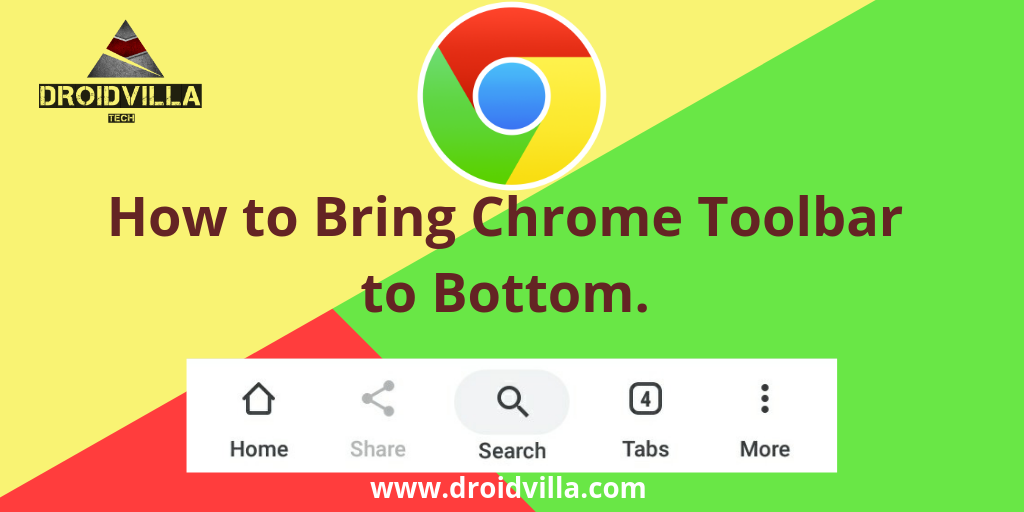
Ever thought of bringing the chrome toolbar functions along with other home and share icons at the bottom of your Android device for easy access?

Introducing Chrome Duet which is an update version of the Chrome Home flag.

The update of Home Flag in Chrome allows users to be able to bring the entire address bar, along with the menu and tabs buttons, to the bottom part of the Android device.


This is a good update from chrome to those who finds it difficult to constantly reach all the way to the top of their phone’s large screen.

This can be achieved by simply enabling the Google Chrome Duet Flag.

How To Bring Chrome Toolbar To the Bottom:

To move the Chrome toolbar to the bottom of the browser, you have to enable the Chrome Duet flag first.

Steps To Enable The Chrome Duet Flag.

  •  Launch Google Chrome on Android.
  • Go to the Chrome flags page by entering the URL given below in the address bar. chrome://flags
Chrome Toolbar
chrome://flags
  • On the Chrome flags page, type Duet in the search field.

Note: You will find one or two search results named Chrome Duet and Chrome Duet Labels

Chrome Toolbar
Type Duet
  • Select on the drop-down funtion under Chrome Duet and tap on Enabled.
  • When done, you’ll be notified at the bottom with a big blue button “Relaunch Now” .
  • Tap on the Relaunch Now button or simply input this code chrome://restart.
Chrome Toolbar
How To Bring Chrome Toolbar To The Bottom
Chrome Toolbar
How To Bring Chrome Toolbar To The Bottom

When Chrome restarts, you should notice the change and find the new option buttons at the bottom of the browser.

Subsequently you can try restarting again if first restart didn’t get it done.


Chrome Toolbar
How To Bring Chrome Toolbar To The Bottom
Chrome Toolbar
How To Bring Chrome Toolbar To The Bottom
Just in case you still find it difficult to identify the icons, or you wish to have all labels on each icon, you can do so easily.
Simply go back to the flags page and enable the Chrome Duet Labels flag. Same procedure above!
Chrome Toolbar
Back To Flag Page


Now you got the toolbar labeled for easy identification. Funny enough this have always been activated on all Android.
I find my self using with chrome installed. So I can boldly say it is definitely stable and safe to ride on.
Don’t Forget To Join Us On Telegram For More Exciting Updates
https://t.me/droidvilla
Tags: BottomBring DownChrome ToolbarHow to
SendShare373Tweet233Share
Droidvilla Admin

Droidvilla Admin

I am Nnoka Godswill also known as Favtechblogger. Lover of Android/Technology, a passionate tech content creator with over 5 years + of blogging experience, an SEO god, a Marketer, and a graduate of Electronics and Computer Engineering from the University of Port Harcourt . Email the author at favtechblogger@gmail.com.

Related Stories

Download/Save Disabled TikTok Videos to Gallery

How to Download/Save Disabled TikTok Videos to Gallery

by Droidvilla Admin
April 27, 2024
0

- How to Download/Save Disabled TikTok Videos to Gallery - Funny TikTokers to follow TikTok is the go-to social media app for content creators and enthusiasts alike, with...

know your GOtv login details

How to Know your GOTV login details (Surname and Phone Number) if forgotten

by Droidvilla Admin
January 22, 2024
1

- How to know your GOtv login details (Surname and Phone Number) if forgotten Hi there, did you forget your login details associated with GOtv and you're looking...

resubmit Pi KYC in 2024

How to resubmit Pi KYC in 2024 and get approval in minutes

by Droidvilla Admin
January 18, 2024
0

Pi has recently given all pioneers the opportunity to resubmit Pi KYC in 2024 after a very long wait. For all those who waited for this long to...

DSTV Now App Not Showing Live Channels

DSTV Now Error: 1 Fix to DSTV Now App Not Showing Live Channels

by Droidvilla Admin
January 14, 2024
0

@dstvcareFinally, here is a solution to fix the dstv now error app not showing live channels when a subscription is active. The dstv now error suddenly do not show/display...

Next Post
Android Overheating : Popular Causes And Solutions 2021

Android Overheating : Popular Causes And Solutions 2021

Comments 4

  1. عبده السلام أحمد ٱلماهري says:
    4 years ago

    I tried it before updating it, I can’t find the chrome duet in the flags,I think my chrome need update so I update it to the latest the same things occures

    Help!!!

    Reply
    • Droidvilla Admin says:
      4 years ago

      We confirmed this settings is for older version of chrome browser… We shall update the post to the latest. Thank you

      Reply
  2. Kabir Johnson says:
    4 years ago

    I don’t see duet

    Reply
    • Droidvilla Admin says:
      4 years ago

      What version of Chrome browser are you using?

      Reply

Leave a Reply Cancel reply

Your email address will not be published. Required fields are marked *

  • About
  • Advertise
  • Privacy & Policy
  • Contact Us
  • Disclaimer

© 2025 JNews - Premium WordPress news & magazine theme by Jegtheme.

Welcome Back!

Login to your account below

Forgotten Password?

Retrieve your password

Please enter your username or email address to reset your password.

Log In
No Result
View All Result
  • Apk apps
  • Android Tips/Tricks
  • Phone Reviews
  • How To
  • Phone Reviews

© 2025 JNews - Premium WordPress news & magazine theme by Jegtheme.