– Gb whatsapp tricks: 6 gbwhatsapp features Setting You Didn’t Know About
Yes, sure they are hundreds of great features about GBwhatsapp and every other mod whatsapp you may not have known, and this is the main reason droidvilla will be revealing 6 must gbwhatsapp tips settings you may not have an idea about to stay.
Also read:
We are here to explore and deliver top notch and legit informations. Just in case you don’t know what gbwhatsapp is all about, we have noted down informations about them below.
About GBWhatsapp
GBwhatsapp is the best modified version available for WhatsApp on the internet.
GBWhatsApp is a WhatsApp MOD, an Android app that can be used to communicate with your contacts but adding new functions that can’t be found in the official app.
It’s a modification of the original app that has been developed by a third party without the authorization of the legitimate owners.
So here are 6 gb whatsapp tricks You Didn’t Know About

- Freeze last seen
- Disable forwarded
- Who can call me?
- Custom privacy
- Hide view status
- Anti-Delete Status
Freeze Last Seen:
This feature lets users disable the last seen feature from others. Meaning that, once this is enabled, your contacts won’t be able to see when you are online or even your last seen when offline.
You might have observed people chatting with you and you will find out their last seen is probably a month ago or so.

Image above proves that the person last seen is last week Saturday and we both had a conversation on Thursday being yesterday.
Disable Forwarded:
This is another great feature and this allows users to disable the forward identity on forwarded messages.
Meaning that once this is enabled, when ever you forward a post using the forward icon, it would be seen on the other persons screen as a normal message, disabling the forwarded id.
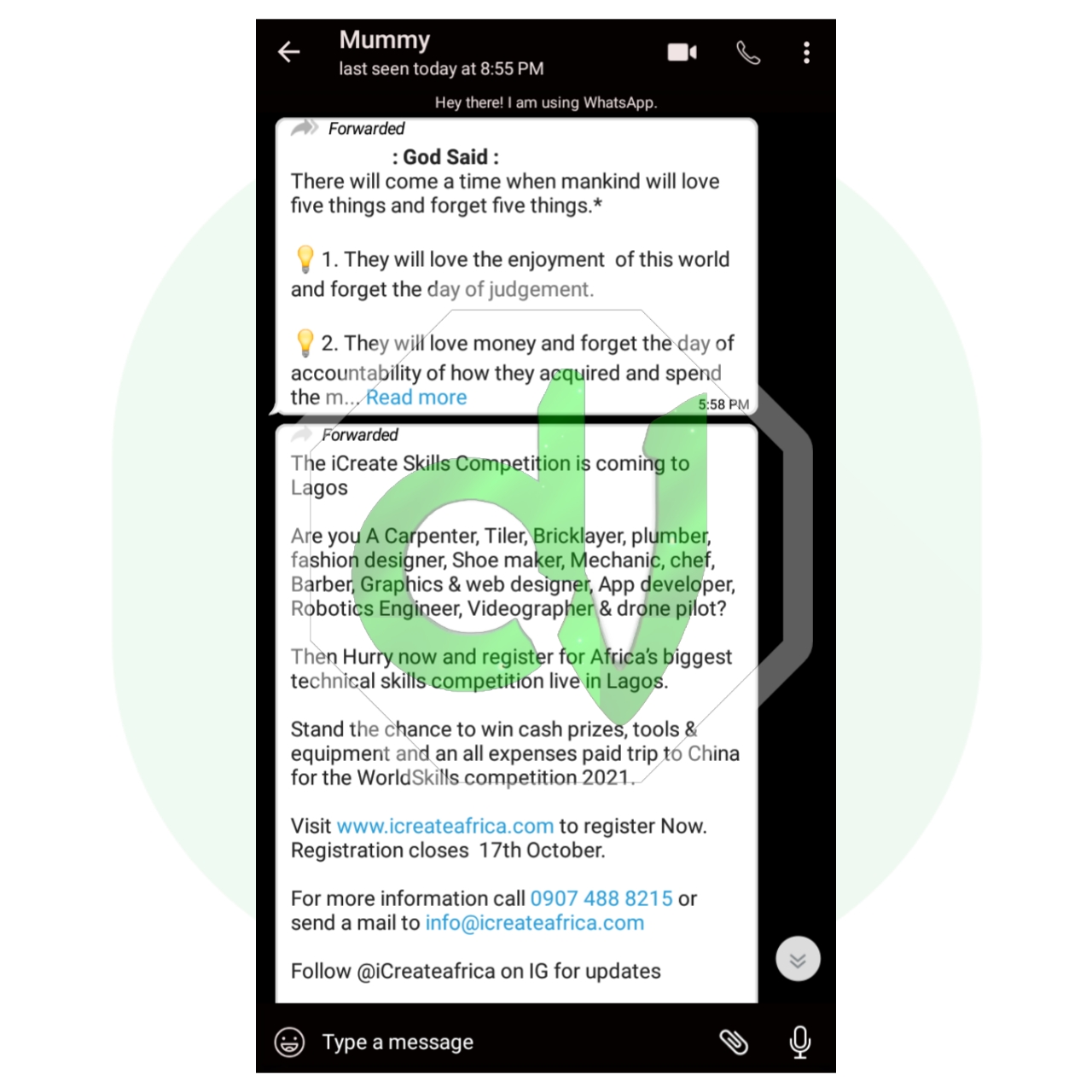
Image above shows the forwarded identity.
Who can call me:
This feature is indeed a very great one and applauded for, this features lets you disable the call me feature.
Meaning that once this is toggled on, no one will be able to call you via whatsapp. Furthermore, you will be able to make calls, just that no incoming calls would be allowed.
For those who hates unknown contacts calling, i guess this is a great one to try. You also have the option to select some contacts you just want to have access to calling you.
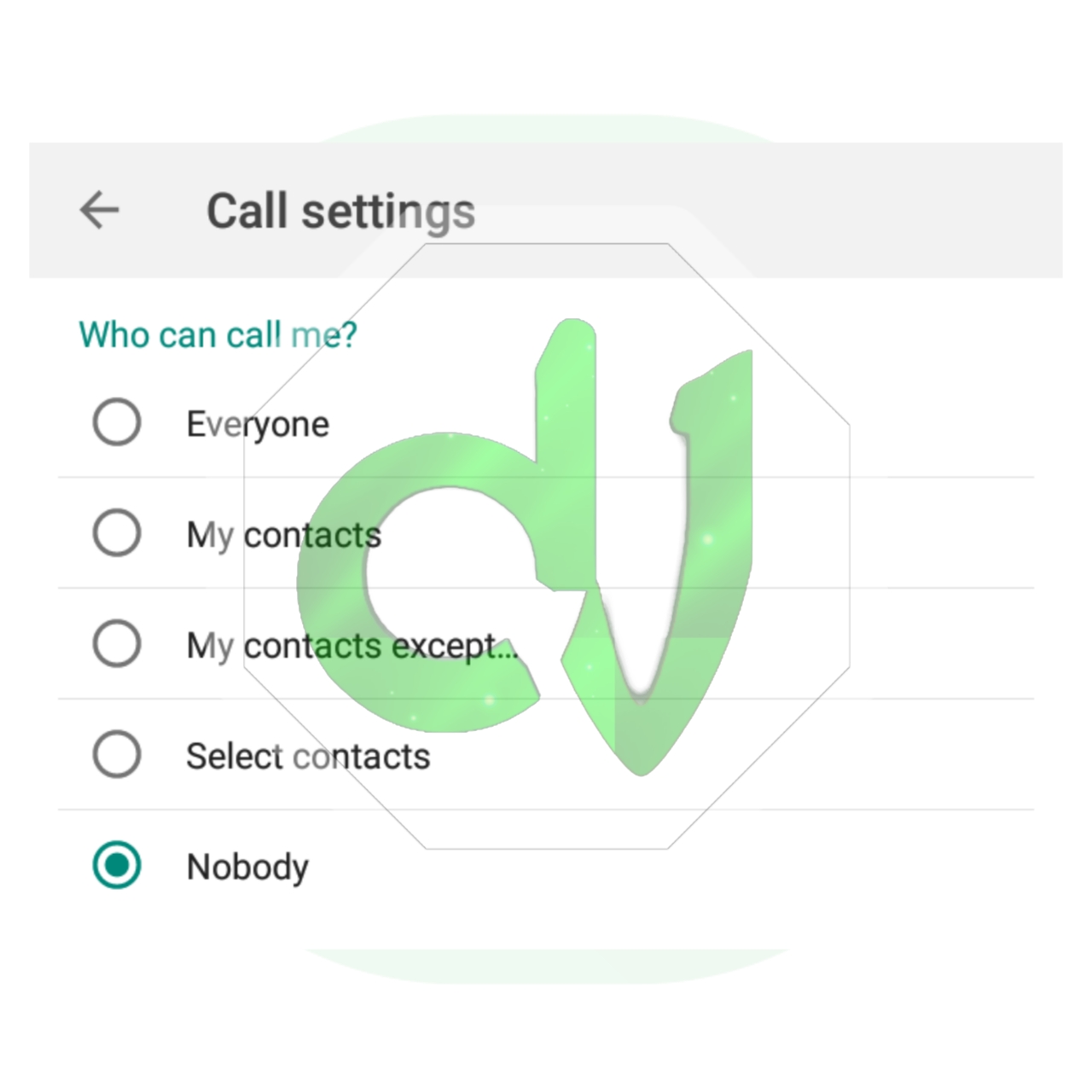
You can decide to choose among the available options that suits you.
Custom privacy:
Just as the title, it gives you the ability to customize your own privacy just the way you like and want.
Feel free to try them out.
Hide view status:
This is another banger and most used feature by gbwhatsapp users.
This allows you to hide your view status notification from others, meaning that whenever you view one status, the person won’t be able to find you amongst those who viewed their status.

Before gbwhatsapp and other whatsapp mod likes, my status reaches 160+views within 24hours but now I get count as a result of whatsapp mod.
People now view your status without you being notified.
I am sure you have been replied by a contact from your status but yet you couldn’t find the person on your viewed status list.
That is as a result of enabling this feature.
This makes you anonymous while viewing status.
Anti-Delete message:
As the name implies, anti delete message, this revokes all deleted messages automatically when deleted by the other party.
Meaning that when ever a contact sends a message and deletes it from his end, you having the anti delete message feature activated will definitely have that same message available for view and will be notified that message has been deleted.
You can find deleted message by identifying the mute circled icon beside the message time ID.

Image above shows the anti-delete icon beside the time ID.
How to find all gbwhatsapp hack/tips settings in 2021:
To Activate all this feature or find any on your gbwhatsapp app, follow steps below.
Procedures:
- Open gbwhatsapp or any mod whatsapp
- Go to gbwhatsapp settings or any mod whatsapp
- Tap on privacy and security
- Now select from the options and set just the way you like.
Now you are all set.
Hope this thread was helpful? Reach out to us via the contact us page in footer or join our socials using the socials icon in footer, for more features you have come across and you wish for it to be updated here.
Don’t forget to subscribe to our newsletter for more exclusive update.