AI News
  • Apk apps
  • Android Tips/Tricks
  • Phone Reviews
  • How To
  • Phone Reviews
No Result
View All Result
AI News
  • Apk apps
  • Android Tips/Tricks
  • Phone Reviews
  • How To
  • Phone Reviews
No Result
View All Result
AI News
No Result
View All Result
Professional email

How to setup a professional email with G-Suite

G-Mail For Professionals- 5 Simple Steps On How To Setup a Professional Email Address with G-Suite

A professional email address will help your brand to be unique and it also shows that your business is reliable. This is where G -Suite comes in handy. G- Suite is Google’s productivity suite that allows business owners or individuals to set up a professional email address.

Xavi by Xavi
October 13, 2022
in Google, How To
0
931
SHARES
3k
VIEWS
Share on whatsappShare on FacebookShare on TwitterShare on Telegram

– 5 Simple Steps On How To Setup a Professional Email Address with G-Suite

Contents hide
I. Steps To Setup a Professional Email (Gmail) Address On G-Suite
I.I. Telegram Channel

One very key prerequisite every business owner needs is a professional email address with their business name in it.

A professional email address will help your brand to be unique and it also shows that your
business is reliable.

This is where G -Suite comes in handy. G- Suite is Google’s productivity suite that allows
business owners or individuals to set up a professional email address.

Professional email
How to set up a professional email with G-Suite

This article will take you through a step-by-step guide to setting up a professional Email
address.

A lot of folks have always asked the question, what is a professional email address?

Let’s dive in to know about it.

Typically a professional email is one that has your business name attached to it.

For example, ads@droidvilla.com.

This is a sample of a professional email address.

Having a free email account is good but it does not look professional for a brand or business.
Professional email
How to set up a professional email with G-Suite

It might come off as tacky. Reliable clients and partners may find it not trustworthy.

To set up a professional email address, you will need a website and a domain name.

If you have a domain name and a website, promptly follow the steps below to set up your own professional email address on G-Suite.

Steps To Setup a Professional Email (Gmail) Address On G-Suite
Professional email
How to set up a professional email with G-Suite
  • signup on G -Suite for an account, if you don’t have an existing account.
N/B: This is not a free service, it costs approximately $5/month for each user. Paying annually gets you 2 months free.

You can check the site for more information. They also offer a free 14-day trial.

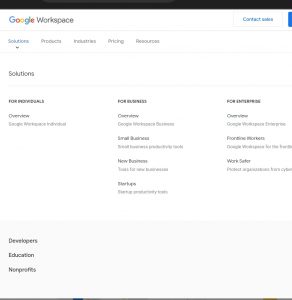
  • Navigate to the G Suite website to select the plan you want to use.
Professional email
How to set up a professional email with G-Suite

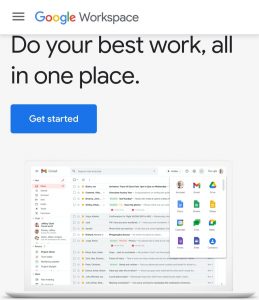
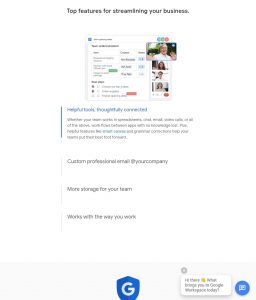
Apparently, G-Suite has all the powerful features you’re used to from Gmail, Drive, Calendar, etc (but now it’s for your business).

Simply visit the G Suite website and click on the Get Started button for the plan you want to use.

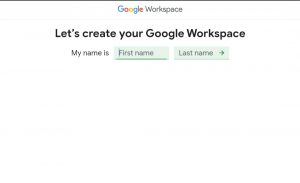
  • Next step, enter your business name, the country where you are located and the number of employees.

You have the ability to choose the number of employees or just yourself. Proceed by clicking on the next button to continue.

  • Proceed to enter your name and personal contact information which includes your email address.

As soon as you are done, choose a domain name.

If you have an already existing domain name. You can proceed by clicking on ‘Yes I have one I can use. If you don’t have one, kindly click on ‘No, I need one and then proceed to register a domain name.
Professional email
How to set up a professional email with G-Suite

If you do not have a domain name and will wish to register for one, you will be charged separately for registering a new domain name.

Some folks already have an existing domain name, all they need to do at this point is to verify ownership of the domain name, which can be carried out in simple steps.

  • As soon as you navigate to the setup screen, you will be required to add more people to your account.

At this point If you wish to create more accounts for your department or employees, you can carry it out here now.

At the same time, you can just click on ‘I have added all user email addresses and proceed to the next button.

Take note that you have the ability to always add multiple users to your account and at the same time create their email addresses later when needed at your convenience.

In addition, the bonus section below will guide you on how to utilize your professional Email with G-Suite and Gmail.

It is worthy of note that Your email address functions like any other Gmail account .

This can be accessed by simply visiting the Gmail Website and signing in with your email address, e.g.sponsoredpost@yourdomain.com.

You can also manage your G Suite account by visiting the admin console. G Suite accounts can be managed by visiting the admin console.

At this point, you can either choose to add/remove new users to your domain name.

Maximum storage space of 30 GB will be allocated to each user and all the same features, but the downside is, they will not have access to the admin console.

Users can be removed at any time. We hope this article helped you set up a professional email address with G Suite and Gmail.

Join our telegram channel for more exciting updates via the link below ⤵️

Telegram Channel

Tags: G-SuitegmailGoogle workspaceProfessional email
SendShare372Tweet233Share
Xavi

Xavi

I am Pepple Xavier also known as Blaze, a Droidvilla content creator, A 400 level student in the University of Port Harcourt, studying Mechatronics Engineering. Found passion in technology ⚙ and decided to keep the world in touch with latest happenings around the world of technology. Visit us for daily tips and tricks, How To's and lots more www.droidvilla.com have to offer

Related Stories

Download/Save Disabled TikTok Videos to Gallery

How to Download/Save Disabled TikTok Videos to Gallery

by Droidvilla Admin
April 27, 2024
0

- How to Download/Save Disabled TikTok Videos to Gallery - Funny TikTokers to follow TikTok is the go-to social media app for content creators and enthusiasts alike, with...

know your GOtv login details

How to Know your GOTV login details (Surname and Phone Number) if forgotten

by Droidvilla Admin
January 22, 2024
1

- How to know your GOtv login details (Surname and Phone Number) if forgotten Hi there, did you forget your login details associated with GOtv and you're looking...

resubmit Pi KYC in 2024

How to resubmit Pi KYC in 2024 and get approval in minutes

by Droidvilla Admin
January 18, 2024
0

Pi has recently given all pioneers the opportunity to resubmit Pi KYC in 2024 after a very long wait. For all those who waited for this long to...

DSTV Now App Not Showing Live Channels

DSTV Now Error: 1 Fix to DSTV Now App Not Showing Live Channels

by Droidvilla Admin
January 14, 2024
0

@dstvcareFinally, here is a solution to fix the dstv now error app not showing live channels when a subscription is active. The dstv now error suddenly do not show/display...

Next Post
New Hike in Data prices By Popular Telecommunication Companies 2022

New Hike in Data prices By Popular Telecommunication Companies 2022

Leave a Reply Cancel reply

Your email address will not be published. Required fields are marked *

  • About
  • Advertise
  • Privacy & Policy
  • Contact Us
  • Disclaimer

© 2026 JNews - Premium WordPress news & magazine theme by Jegtheme.

Welcome Back!

Login to your account below

Forgotten Password?

Retrieve your password

Please enter your username or email address to reset your password.

Log In
No Result
View All Result
  • Apk apps
  • Android Tips/Tricks
  • Phone Reviews
  • How To
  • Phone Reviews

© 2026 JNews - Premium WordPress news & magazine theme by Jegtheme.