
Do you receive hundreds of Facebook email activity notifications on your registered Facebook email address, and you wish to stop receiving Facebook email notifications that are irrelevant?
One big annoying thing about linking your Google mail (Gmail) or yahoo mail (Ymail) to your Facebook account is the fact that you get to receive almost if not 100+ new email notifications of every activity that happens on your Facebook account.
You should agree with me without a doubt that 90% of email notifications is certainly not necessary and irrelevant to be sent to your registered Facebook emails.
 |
| Stop Facebook from sending email notifications of some activities |
Most Facebook users often use their personal email address as Facebook email registrations, in other to get alert of when an unauthorized user tries to gain access to their Facebook account, but still, Facebook will constantly keep flooding your registered mail address by default with irrelevant emails notifications which is quite disturbing as you will have to scroll past hundreds of Facebook email notifications before getting to see relevant personal emails and this is really not a good one.
It is also quite so not easy to delete 100’s Facebook email notifications every day to keep your mailbox clean always, so at the course of this article we shall be showing you how to turn off Facebook email notifications on android and iPhone.
The Facebook email notification is highly important and recommended for every Facebook account user, but then how can you direct Facebook to send only email notifications of some selected notifications options?
With this tutorial, you will be able to stop/prevent Facebook from sending some email notifications to your registered Facebook emails, which most annoying emails notifications include, New Friends notification alerts, new comment notifications, new post notifications, new tag notifications, new invite notifications, live Facebook video notifications and lots more irrelevant email notifications which can be deactivated and stopped.
How To Stop Facebook From Sending Irrelevant Email Notifications To My Registered Email Address
Similar queries (How do I adjust my email notifications from Facebook?)
To stop receiving irrelevant Facebook email notifications on your registered Facebook email address, simply follow the below steps
 |
| Facebook email notifications settings |
- Open your Facebook App
- Login to Facebook
- Go to Facebook settings
- Select settings
- Scroll down to Notifications (Decide how you want to communicate across Facebook and how you want us to contact you)
- Select notification settings and open each section you find not important and untick the email notifications button to prevent getting email notifications of such activity.
- You can as well scroll down to where you receive notifications and select Email
- Now untick all irrelevant Facebook email notifications of your choice
If you wish not to get any email other than your Facebook account security and privacy tips notifications, I will be showing you how to only get security threats notifications sent to your registered Facebook email address.
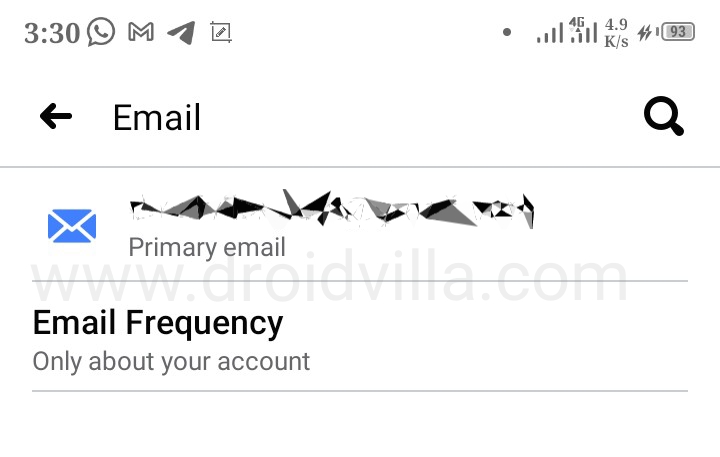 |
| Email frequency (Only about your Facebook account) |
To get only security alert Facebook email notifications, simply go to Facebook settings and scroll down to where you receive notifications, select email, tap on email frequency and select the last option which is Only About your Account ( Only Notifications about your account security and privacy ).
The moment you have customized your Facebook email section, you will automatically stop getting emails every time someone posts on Facebook or whenever someone sends a friend request, tags you, or comments on your Facebook post.
That is all, now you should be getting email notifications only when your account is compromised, someone tries to log into your Facebook account, or has been logged in by an unauthorized device or IP location tracking.
Note that, if you wish to turn on back all Facebook email notifications, simply do the opposite of the above steps.
Don’t forget to share this post with friends and family members.
Use the share button options below to share with other social platforms.