Have you been on a search to finding a way of getting to copy your YouTube channel url link and to no avail. Or you probably just end up copying the url link of a video content on your channel just because you don’t know how to get a direct url link to your YouTube channel.
 |
| Copy YouTube profile icon |
In today’s article you will be briefed on the easiest and fastest way of getting to know and copy your YouTube profile channel url link that can be shared on all social platforms for your networks to subscribe to.
To copy your YouTube channel profile link simply
- visit www.youtube.com on your opera mini, chrome browser, ucbrowser etc.
- Now you should be automatically signed in if your gmail is already signed to the browser. If not, login and proceed
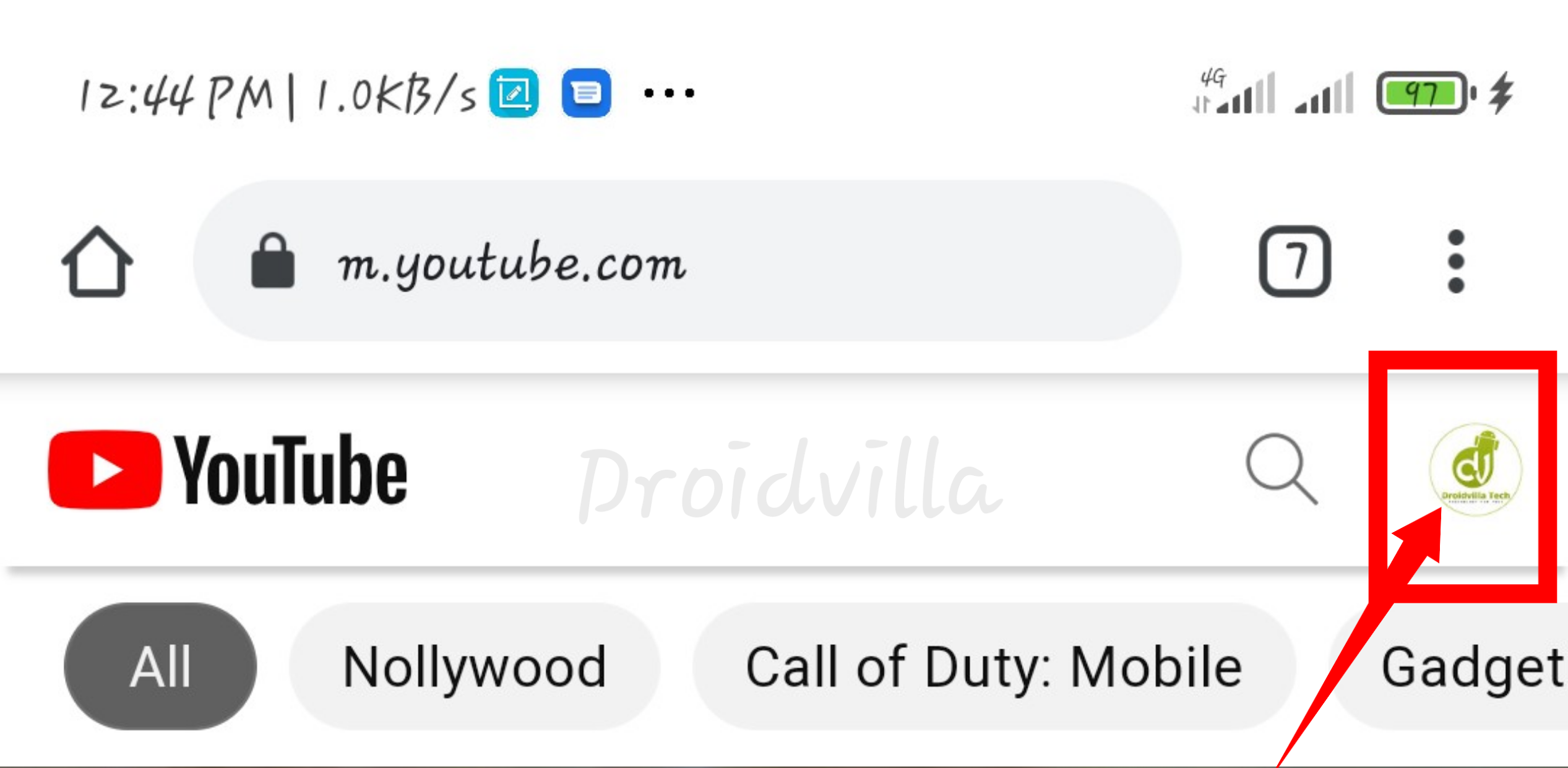
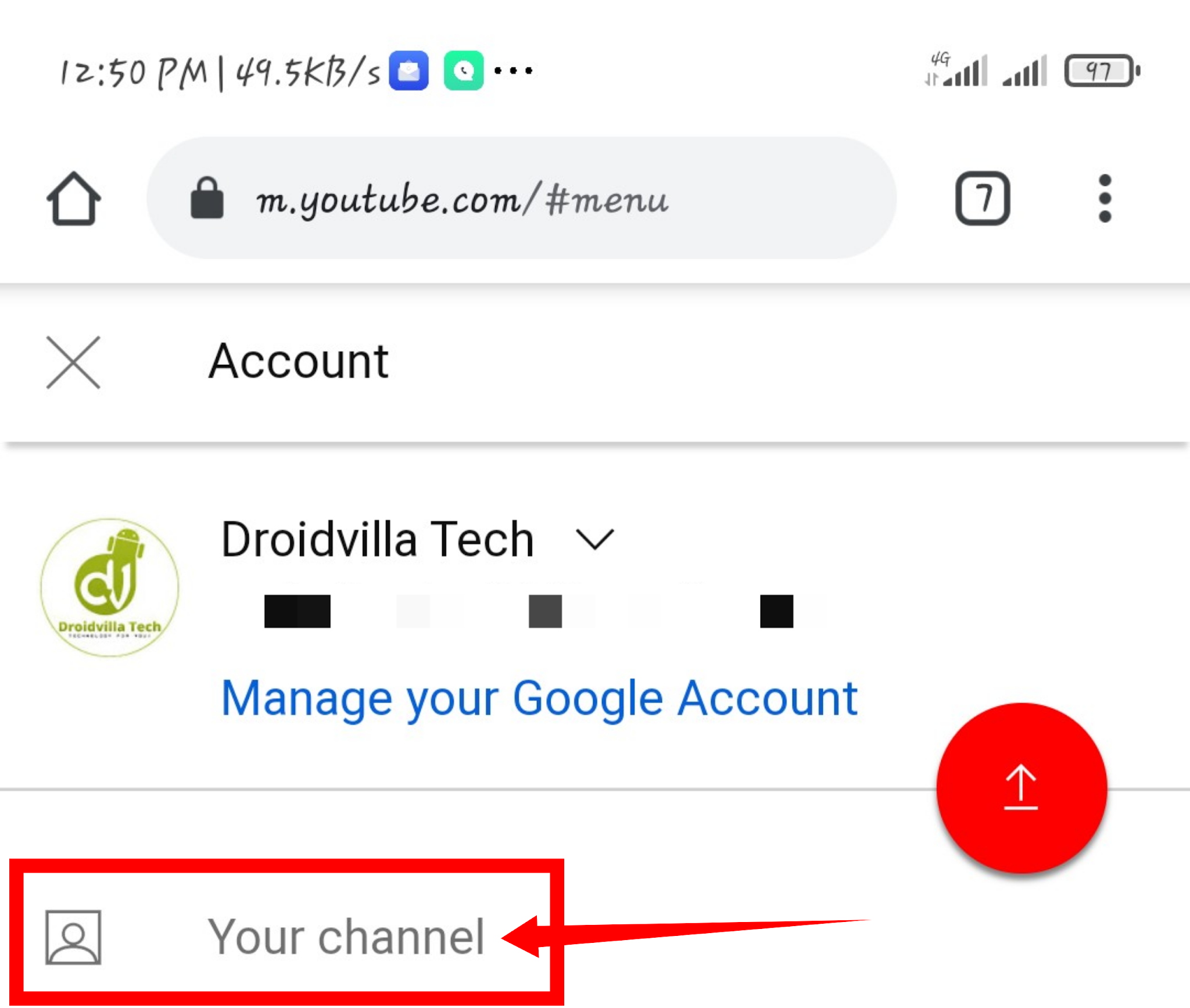
- Tap on the profile icon at the top right side of the screen
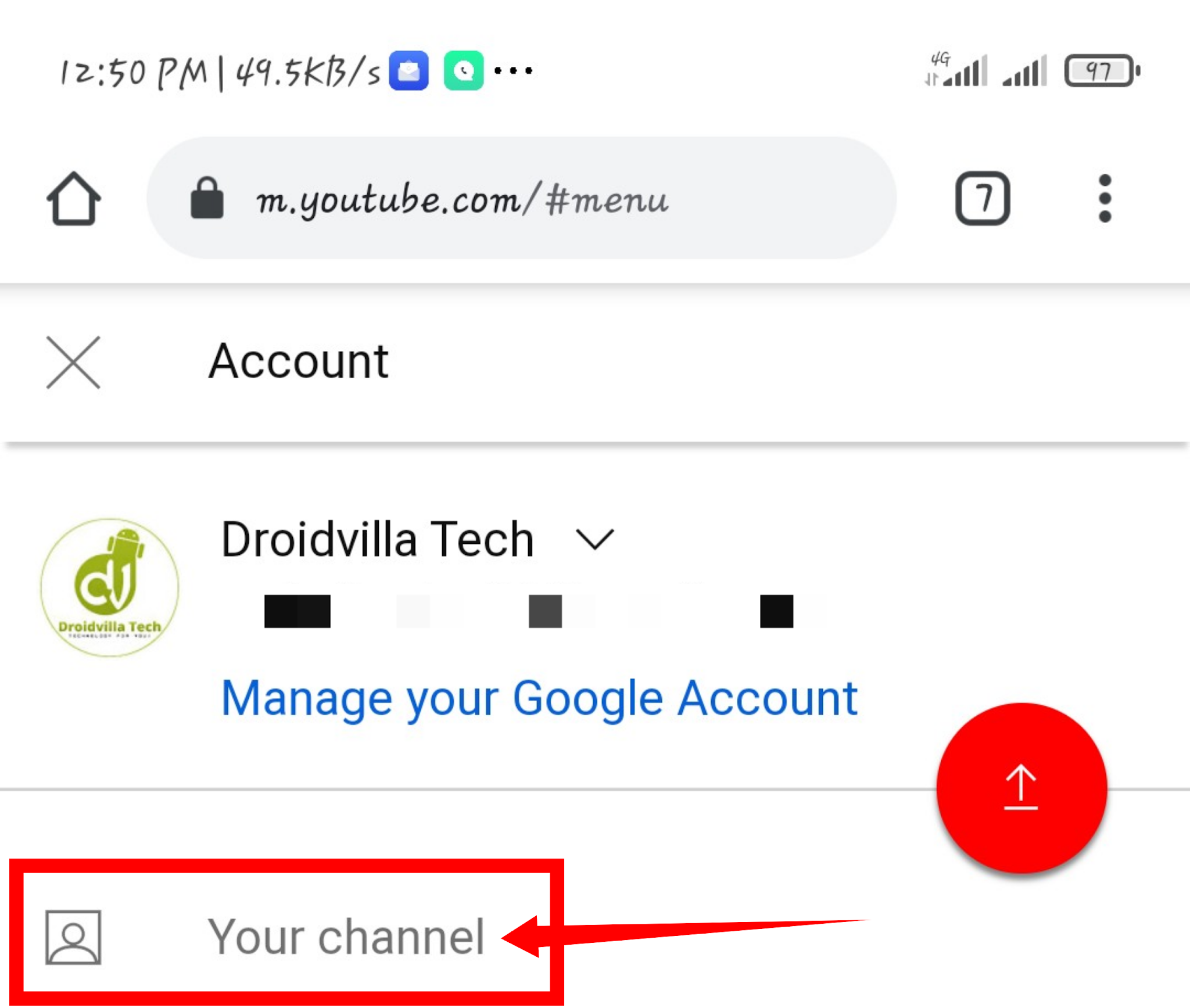
YouTube profile icon - Tap on “Your channel” option
YouTube profile icon

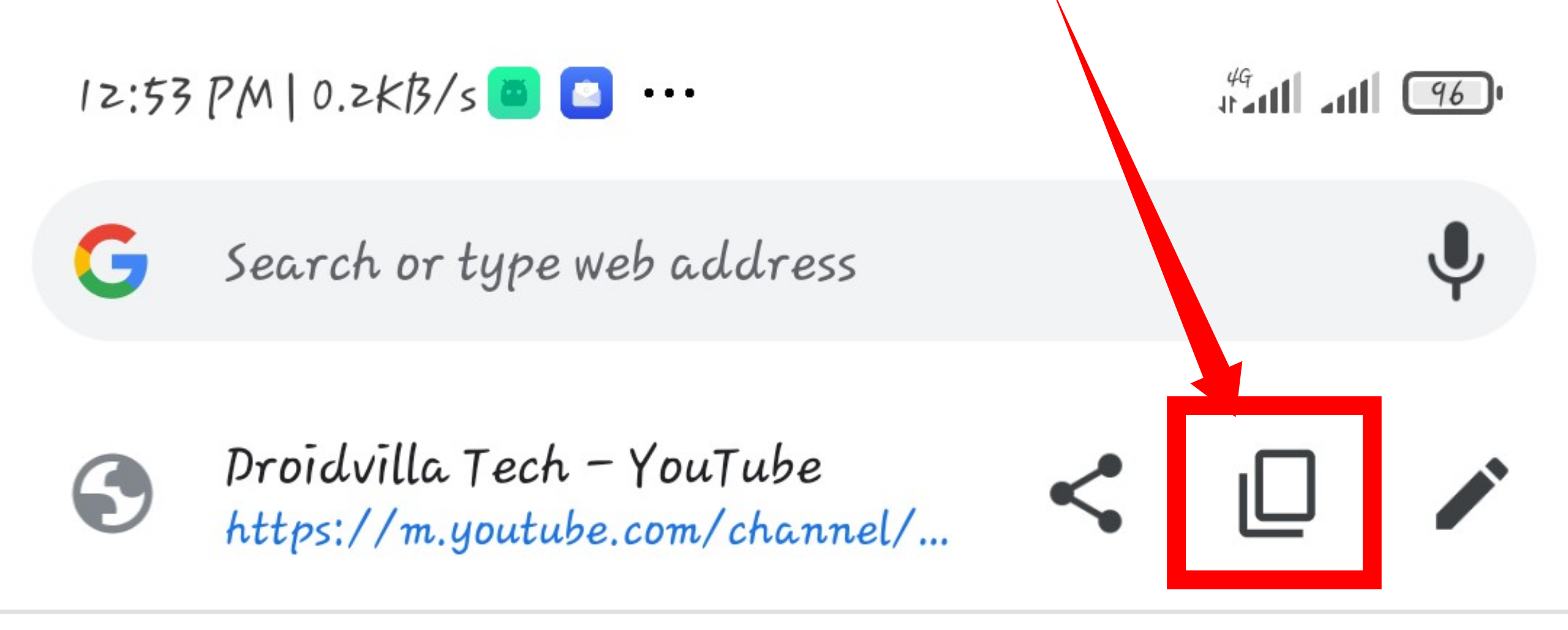
Once loaded successfully, simply tap on the tab and copy the url link as seen in screenshot.
 |
| Copy YouTube profile icon |
 |
| Copy YouTube profile icon |
That is all. Now you can share the copied YouTube profile url link to friends and family members for them to subscribe.