AI News
  • Apk apps
  • Android Tips/Tricks
  • Phone Reviews
  • How To
  • Phone Reviews
No Result
View All Result
AI News
  • Apk apps
  • Android Tips/Tricks
  • Phone Reviews
  • How To
  • Phone Reviews
No Result
View All Result
AI News
No Result
View All Result
Google Home app new feature makes Speaker Group volume controls worse

Google Home app new feature makes Speaker Group volume controls worse

Breaking: Google Home App New Feature Makes Speaker Group Volume Controls Worse 2022

Celine Simon by Celine Simon
January 9, 2022
in Google, Audio, How To
0
931
SHARES
3k
VIEWS
Share on whatsappShare on FacebookShare on TwitterShare on Telegram

Google Home App New Feature Makes Speaker Group Volume Controls worse

Goggle which is known to be a big name in the tech industry, seems to be in a sort of controversy. In the early days of this week, Google was given a mighty shock in its legal fight with Sonos as a result of patent infringement. The United States International Trade Commission after investigation discovered that the company was guilty of violating Sonos’ IP.

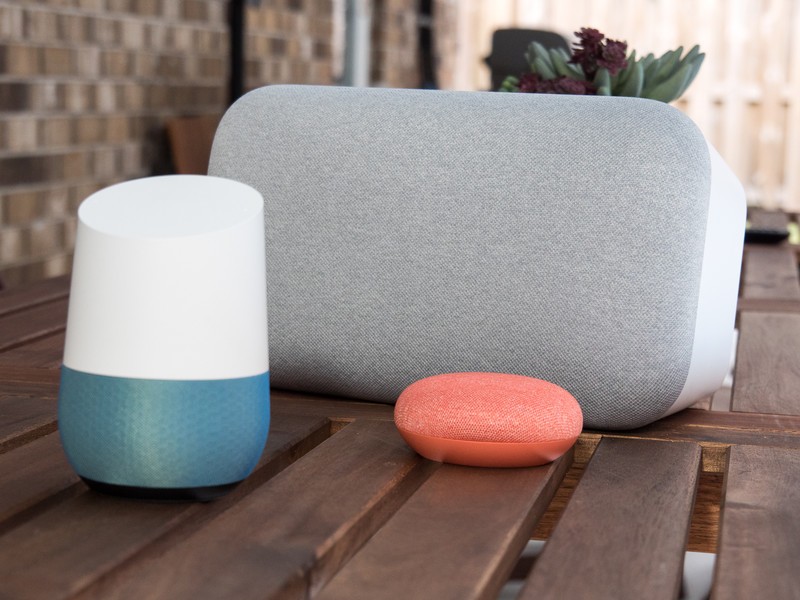
As a result of this, Google was mandated to scrap unified Speaker Group volume controls. Looking into this, end users have been left with no choice but to adjust each speaker’s volume individually, the only option of controlling it using the phone’s volume buttons has been completely removed. A recent Google Home app update (v2.47.79.5) has been released now with the regressions in tow.

How Google Home App Feature Affected Speaker Group Volume Controls
How Google Home App Feature Affected Speaker Group Volume Controls

Controlling the volume rocker when the user is on the Media screen in the latest Google Home app will automatically adjust your phone’s volume. Formerly, the same action sparked a change in the sound level of a speaker or the whole speaker group. Now you must adjust the speaker output using only the virtual slider embedded in the Home app.

A lot of people are used to tapping the Cast playback notification on their phone’s dedicated notification panel to navigate to the speaker playback volume. Coincidentally, this change makes that process more stressful, as a result controlling the volume is no longer as stress free. Now what was formerly a click away process now requires the users attention and toggling around with a virtual slider, most especially when controlling a speaker group.

This change can be avoided for now by making sure you don’t install the latest Google Home update. Moreover, this updates will be most likely going to be for a short period of time. While it is recently possible to manipulate the full Speaker Group volume from your Nest Hub Max or Nest Hub directly that feature will also be put into use in the near future. In a recent statement by Google, Speaker Groups will not stop functioning, despite these annoying changes. A few secondary speakers with Cast support from Lenovo or JBL will have to be changed to a recent firmware version insider to keep track full functionality, as well.

Till then you can still enjoy the feature, if you have not recently uninstall the app.

You can visit our telegram channel for more updates http://t.me/droidvilla

Tags: Googlegoogle homeGoogle Home app new feature makes Speaker Group volume controls worseSpeakerSpeaker Groups volume
SendShare372Tweet233Share
Celine Simon

Celine Simon

Related Stories

Download/Save Disabled TikTok Videos to Gallery

How to Download/Save Disabled TikTok Videos to Gallery

by Droidvilla Admin
April 27, 2024
0

- How to Download/Save Disabled TikTok Videos to Gallery - Funny TikTokers to follow TikTok is the go-to social media app for content creators and enthusiasts alike, with...

know your GOtv login details

How to Know your GOTV login details (Surname and Phone Number) if forgotten

by Droidvilla Admin
January 22, 2024
1

- How to know your GOtv login details (Surname and Phone Number) if forgotten Hi there, did you forget your login details associated with GOtv and you're looking...

resubmit Pi KYC in 2024

How to resubmit Pi KYC in 2024 and get approval in minutes

by Droidvilla Admin
January 18, 2024
0

Pi has recently given all pioneers the opportunity to resubmit Pi KYC in 2024 after a very long wait. For all those who waited for this long to...

DSTV Now App Not Showing Live Channels

DSTV Now Error: 1 Fix to DSTV Now App Not Showing Live Channels

by Droidvilla Admin
January 14, 2024
0

@dstvcareFinally, here is a solution to fix the dstv now error app not showing live channels when a subscription is active. The dstv now error suddenly do not show/display...

Next Post
Signal's Cryptocurrency Peer2Peer Payments Have Silently Gone Worldwide

Breaking: Signal's Cryptocurrency Peer2Peer Payments Have Silently Gone Worldwide

Leave a Reply Cancel reply

Your email address will not be published. Required fields are marked *

  • About
  • Advertise
  • Privacy & Policy
  • Contact Us
  • Disclaimer

© 2026 JNews - Premium WordPress news & magazine theme by Jegtheme.

Welcome Back!

Login to your account below

Forgotten Password?

Retrieve your password

Please enter your username or email address to reset your password.

Log In
No Result
View All Result
  • Apk apps
  • Android Tips/Tricks
  • Phone Reviews
  • How To
  • Phone Reviews

© 2026 JNews - Premium WordPress news & magazine theme by Jegtheme.